
Last updated: July 26, 2026 (Originally published: June 17, 2026)
An M3U playlist is the most universal way to load IPTV channels into a player — every serious IPTV app on every platform reads them. But there’s a real gap between “I have an M3U URL” and “everything works smoothly on my TV.” This IPTV M3U playlist setup guide walks through the full flow in 2026: where to paste the URL on each major player, what to do when the channel list is empty, and how to keep your M3U from breaking after a provider update.
On this page
We’ll cover Firestick, Smart TVs, Android boxes, iOS, Windows, and macOS. Plus the few quirks that catch people every time — like the difference between an .m3u and an .m3u8 URL, and what to do when your provider sends you a Xtream Codes triplet instead.

What an M3U playlist actually is
An M3U file is a plain-text list of stream URLs with optional metadata. Your IPTV provider hosts one on their server and gives you a URL that returns a freshly built copy of that list, tied to your subscription. When your player fetches the URL, it sees something like:
#EXTM3U
#EXTINF:-1 tvg-id="cnn.us" tvg-logo="https://...cnn.png" group-title="USA News",CNN
http://server:8080/live/USER/PASS/12345.ts
#EXTINF:-1 tvg-id="espn.us" group-title="USA Sports",ESPN
http://server:8080/live/USER/PASS/12346.ts
…
The player parses the metadata into a channel guide and plays whichever stream URL you select. Simple — which is why M3U is the universal IPTV format.
M3U vs M3U8 vs Xtream Codes
Three formats you’ll see in 2026:
- .m3u — classic playlist of TS/HLS URLs. The most common.
- .m3u8 — HLS-flavored variant. Some Apple/iOS contexts prefer it. For 99% of IPTV providers,
.m3uand.m3u8resolve to the same underlying list. - Xtream Codes — a portal URL + username + password. Same content, but the player builds the playlist on the fly via the provider’s API. Slightly faster, supports VOD/series better. If your provider supports it, prefer it.
For full background on the trade-offs, see our standalone M3U vs Xtream Codes breakdown.
IPTV M3U playlist setup, player by player
IPTV Smarters Pro (Android / Fire TV / iOS / Windows / macOS)
- Open Smarters. Tap Add New User.
- Select Load Your Playlist or File/URL.
- Enter a name (anything), paste the M3U URL.
- Save. Channels populate within 20 seconds.
TiviMate (Android TV / Google TV / Fire TV)
- First-run wizard → Add Playlist → M3U Playlist.
- Paste the URL. Optionally point at an EPG XMLTV URL (your provider supplies one).
- Save. TiviMate downloads and indexes.
VLC (Windows / macOS / Android / iOS)
- Media → Open Network Stream.
- Paste the M3U URL. Press Play.
- VLC opens the first channel; press the playlist sidebar to pick others.
Smart IPTV (SIPTV) on Samsung / LG
SIPTV doesn’t accept the URL in-app — you paste it on their site against your TV’s MAC address. Find the MAC on your TV: Settings → About → Network. On siptv.app/mylist, paste MAC + M3U URL + save. Open SIPTV on the TV; channels appear.
SS IPTV on LG webOS
Open SS IPTV. Get the 6-character pairing code. On ss-iptv.com, “Add device”, paste code + M3U URL, save. The TV picks it up instantly.
GSE Smart IPTV on iOS
Open GSE → Playlists → Add M3U URL. Paste, save. Channels appear under the playlist name.
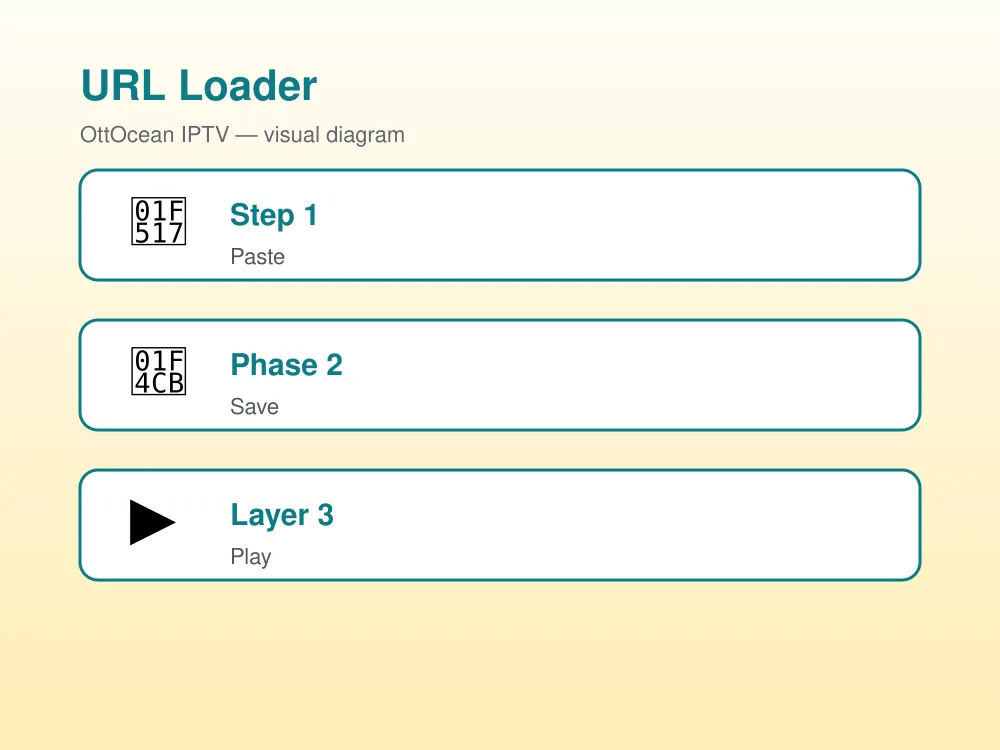
What “good” looks like after IPTV M3U playlist setup
If setup worked, three things are true within 30 seconds:
- Channel list populated with at least a few hundred channels (a real provider gives 5,000+).
- Channel groups visible (USA, UK, Sports, Movies, etc.).
- First channel plays in under 5 seconds with no buffer.
If channels are missing groups or logos, your provider’s M3U doesn’t include group-title or tvg-logo tags — that’s a provider issue, not an app issue. Switch to Xtream Codes if available to get richer metadata.
Common IPTV M3U playlist setup problems
“Empty playlist” / no channels
Wrong URL (most common). Open the URL in a desktop browser — if you see a wall of #EXTM3U… text, the URL is fine. If you see a 404 or login page, the URL is bad. Re-copy from your provider’s activation email — don’t retype.
Channels load but won’t play
Your IP may not be authorized. Some providers lock the M3U to one IP at a time. Wait 5 minutes, retry. If still failing, contact support to release the lock.
Buffering constantly
Run a Wi-Fi speed test. Below 25 Mbps, switch to Ethernet or 5 GHz Wi-Fi. Also switch the player engine to ExoPlayer on Android-based devices.
EPG missing
M3U URLs don’t always include EPG. Ask your provider for the XMLTV EPG URL and paste it in TiviMate/Smarters/SS IPTV’s EPG settings.
Keeping your IPTV M3U playlist healthy
Three habits keep your setup running for months without re-configuring:
- Pin one player as your primary. Don’t bounce between Smarters, TiviMate, and VLC — each builds its own EPG cache and you’ll get drift.
- Refresh the playlist weekly. Most players have a “Refresh playlist” option. New channels get added by providers; old ones get retired.
- Save credentials in a password manager. When a Firestick eventually needs a factory reset, you’ll thank yourself.
If your provider issues a new M3U URL (sometimes happens after a server migration), update it in-app — don’t re-install from scratch. For background on streaming protocols generally, the M3U format reference on Wikipedia is a useful primer.
The bottom line
IPTV M3U playlist setup is paste-and-go in any player worth using in 2026. The only gotchas are wrong URLs, weak Wi-Fi, and missing EPG — all solvable in minutes. If your provider supports Xtream Codes (most modern ones do), prefer it for richer VOD/series navigation. Looking for a service that gets both right? Test the OttOcean free trial — you’ll receive both an M3U URL and Xtream Codes credentials in the activation email.
FAQ: IPTV M3U playlist setup
Is M3U the same as Xtream Codes?
No. M3U is a flat playlist URL; Xtream Codes is a portal URL + username + password that the app uses against a richer API. Most providers offer both.
Can I open an M3U URL on any device?
Yes if the device has any IPTV player. VLC alone covers Windows, macOS, Android, and iOS.
Why does my IPTV M3U playlist setup break after a few weeks?
Provider server migrations, IP-lock resets, or expired subscriptions. Refresh the playlist or contact your provider; it’s almost never an app problem.
How do I find my M3U URL?
It’s in your provider’s activation email. For OttOcean orders, look for the line starting http:// that ends in .m3u.
Is using an M3U playlist legal?
Loading a playlist URL provided by a service you paid for is legal. What’s streamed through that URL depends on the provider’s licensing — choose providers who own or license their content.
Related guides


