
Last updated: October 12, 2026
IBO Player works differently from most IPTV apps you’ve probably used: instead of a free download that only needs your Xtream Codes or M3U login, it ties itself to your device’s MAC address and requires a separate paid activation before it will play anything. That trips up a lot of first-time users, so this guide walks through the whole process, the real cost, and the fixes for the activation errors people hit most.
On this page
- What is IBO Player and how activation works
- How to set up IBO Player in 5 easy steps
- IBO Player pricing: the activation fee explained
- Finding your device’s MAC address for IBO Player activation
- Adding your Xtream Codes or M3U playlist
- Setting up EPG in IBO Player
- IBO Player on Samsung and LG smart TVs
- IBO Player on Fire TV, Android, and iOS
- Common IBO Player activation errors and fixes
- IBO Player vs free IPTV apps: is the fee worth it
- Key takeaways
- FAQ: IBO Player
- Final thoughts on IBO Player
What is IBO Player and how activation works
It’s an IPTV playback app built primarily for Samsung and LG smart TVs, where the app-store ecosystem for live-TV players is thinner than on Android or Fire TV. It also has builds for Android, Fire TV, and iOS. What sets it apart is its licensing model: rather than being free like IPTV Smarters Pro or XCIPTV Player, it ties a paid activation code to your specific device’s identifier.
That identifier system dates back to how many smart-TV app stores handle licensing — rather than a traditional username-and-password account, the app binds itself to the hardware it’s installed on, which is why the activation flow feels closer to registering a piece of hardware than signing into software.
That means the app itself has a cost independent of whatever IPTV subscription you feed it — you’re paying for the player software and the streaming service separately, which is unusual in this category. Once activated, a device stays activated until the code’s expiry date, and reactivating on a different device generally requires a new code.
How to set up IBO Player in 5 easy steps
The process is the same shape across Samsung, LG, Fire TV, Android, and iOS, with only the initial download step differing by platform.
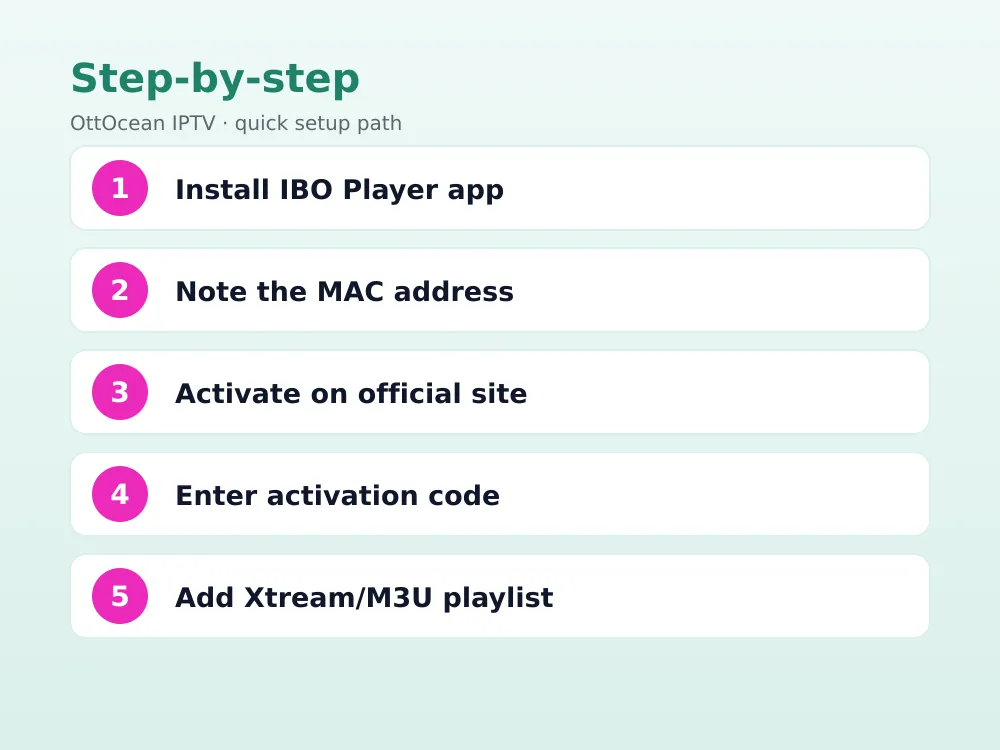
- Install the app from your device’s app store — Samsung Smart Hub, LG Content Store, Amazon Appstore, Google’s store, or the Apple App Store.
- Open the app and note the MAC address it displays on that screen.
- Go to iboplayer.com on a phone or computer and purchase an activation code, entering the MAC address you noted.
- Enter the activation code back inside the app on your TV or device once it’s issued.
- Add your Xtream Codes login or M3U playlist URL from the app’s settings menu — your channels load immediately after.
If you’re an OttOcean subscriber, your Xtream Codes and M3U details are both in your activation email, ready to paste once the app itself is activated. New here? The 5-day free trial gives you working credentials in minutes, no credit card required, so you can test the playlist side of this setup today.
IBO Player Pro vs the standard version
You’ll often see both the standard app and “IBO Player Pro” listed side by side in app stores. Pro generally adds extra customization options and a more refined interface over the base version, though both use the identical activation and playlist system described in this guide. If your device offers both, Pro is usually the better default pick, and the activation code you purchase works the same way for either build, so switching between them later doesn’t cost you a second code.
IBO Player pricing: the activation fee explained
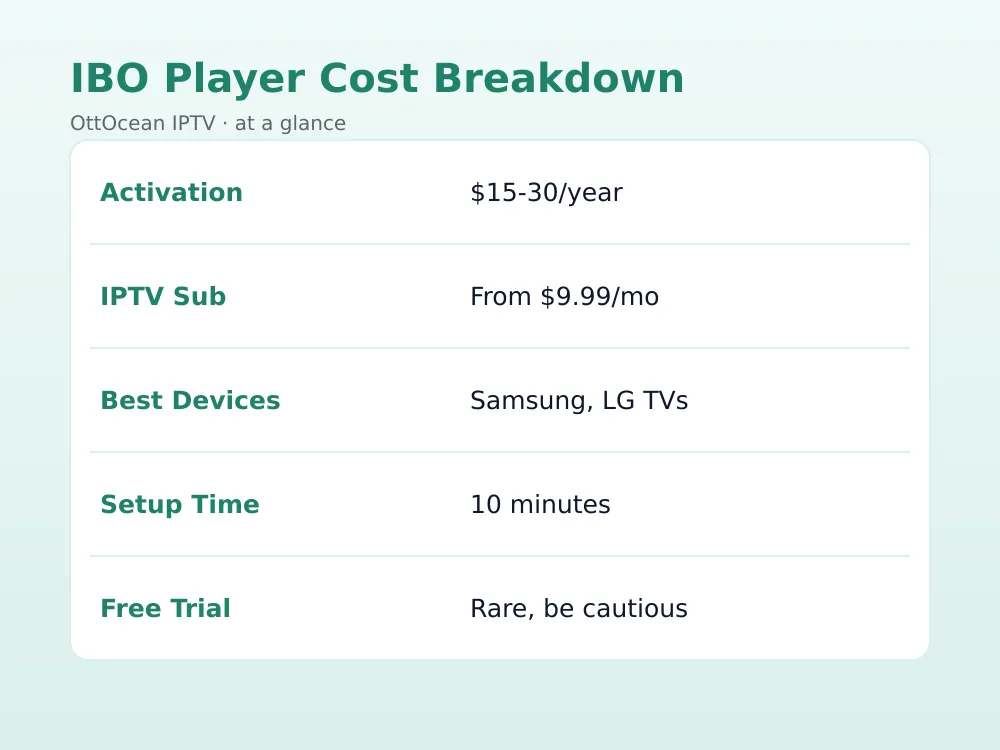
As of 2026, activation typically runs somewhere in the $15-30 range for a one-year code, though pricing varies by promotion and region — always check the current rate directly on the official site rather than relying on older screenshots or third-party resellers, which sometimes charge a markup or sell invalid codes.
Multi-year codes are sometimes offered at a modest discount over paying annually, and a handful of resellers bundle activation with an IPTV subscription as a single purchase — read the fine print carefully in that case, since the two products come from entirely different companies even when sold together as a single checkout transaction.
Is there a free trial for the app itself?
Unlike IPTV subscriptions, which commonly offer short free trials, the player app’s activation rarely includes a genuine free period — most promotions are discounts off the yearly price rather than free access. If a listing claims a no-cost, no-expiry version, treat that as a red flag rather than a legitimate offer, since it typically points to a cracked or unofficial build rather than a genuine promotion from the developer.
| Item | Typical cost | Paid to |
|---|---|---|
| IBO Player activation | ~$15-30/year | iboplayer.com |
| IPTV subscription (e.g. OttOcean) | From $9.99/month | Your IPTV provider |
This is the detail that confuses new users most: the activation fee has nothing to do with which channels you get. It only activates the app itself. Your channel lineup, picture quality, and uptime depend entirely on the separate IPTV subscription you add afterward.
Finding your device’s MAC address for IBO Player activation
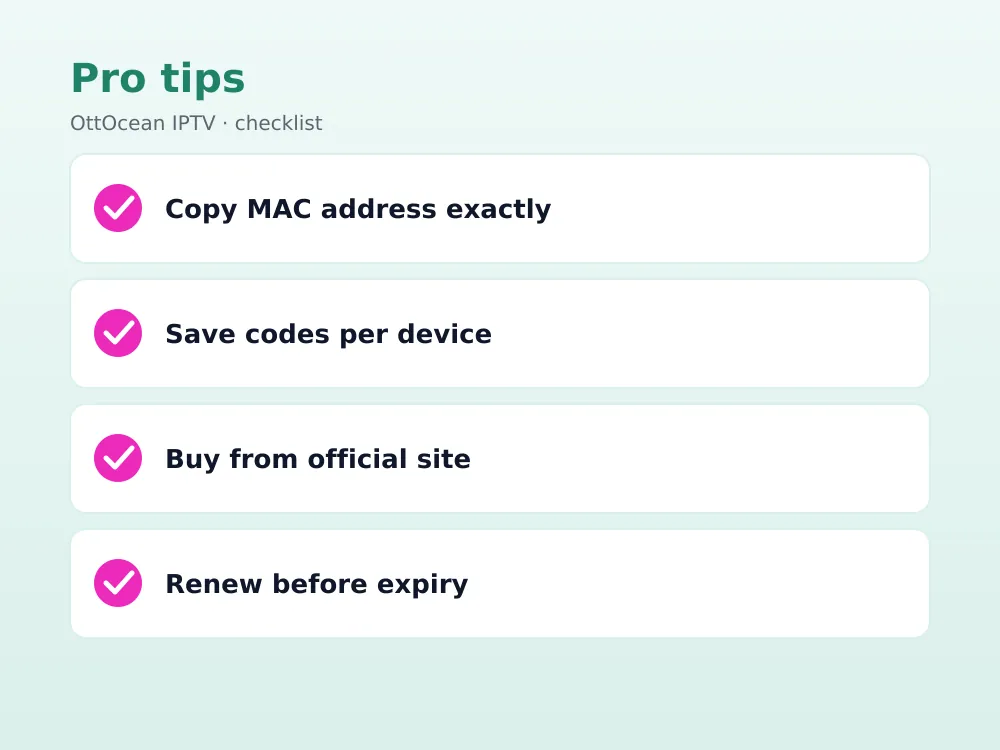
The MAC address the app wants is its own generated identifier shown there, not your TV’s network MAC address from the system settings menu — a common point of confusion. Open the app, and the code it displays (often formatted like a real hardware MAC address) is the one to copy into the activation form on the website.
Write this code down or screenshot it before navigating away, since some TV remotes make it fiddly to switch between apps and back without losing your place. If you ever factory-reset the TV or reinstall the app, the identifier it generates may change, which typically requires a fresh activation code.
Some households keep a small notebook or a notes app entry per device listing each TV’s activation code and expiry date, since a family with three or four smart TVs running the app can easily lose track of which code belongs to which screen a year later when renewal time comes around.
A photo of that screen, saved to cloud storage, works just as well and is harder to misplace than a paper note, and it also gives you a quick reference if you ever need to contact support about a specific device.
Adding your Xtream Codes or M3U playlist
Once activated, the playlist setup looks similar to most other players: a settings screen with fields for either Xtream Codes (server, username, password) or a direct M3U URL. Enter whichever format your provider issued, save, and the app pulls your full channel and VOD library.
If you subscribe to more than one IPTV service, the app supports adding multiple playlists and switching between them from a menu, rather than forcing you to log out and back in each time — useful if you keep a backup provider alongside your main one.
Naming each playlist entry clearly (your provider’s name, or “main” and “backup”) avoids confusion down the line, especially on a shared family TV where more than one person might switch playlists without telling anyone else first.
A refresh option is usually available in the playlist settings if your channel count looks wrong after your provider adds or removes channels — force a manual reload rather than waiting for the app’s automatic refresh cycle, which can take up to a day on some builds and longer if the device only refreshes on next launch.
Setting up EPG in IBO Player
The app pulls EPG data automatically when it’s included with your Xtream Codes login, which most established IPTV subscriptions provide by default. If you’re using a plain M3U playlist without embedded guide data, look for an XMLTV URL field in the EPG settings and add your provider’s separate guide link there.
The guide displays as a scrollable grid similar to a cable-box interface, a genuine strength compared with some lighter smart-TV apps that only show a bare channel list with no schedule information at all.
Tapping a program in the grid typically shows a short description alongside start and end times, and on some builds a “remind me” option that flags the show a few minutes before it airs, useful for anyone who wants a heads-up without recording anything.
IBO Player on Samsung and LG smart TVs
This is its home turf. Samsung’s Smart Hub and LG’s webOS Content Store both have comparatively few dedicated live-TV IPTV apps compared with Android’s ecosystem, and it’s one of the most consistently available options across recent TV model years. Our Samsung Smart TV IPTV setup guide covers the broader app landscape if it isn’t listed for your specific model.
Performance on smart TVs varies by how many years old the hardware is — recent Samsung and LG models handle the guide grid and channel switching smoothly, while TVs from around 2018 or earlier can feel noticeably sluggish navigating a large channel list.
Both brands periodically restructure their app stores, so a search that turns up nothing today can succeed after a firmware update, or vice versa. If the app briefly disappears from your TV’s store, checking again after the next scheduled system update is worth trying before assuming it’s been discontinued for that model — this happens periodically as Samsung and LG each roll out app-store policy changes across their device lineups.
IBO Player on Fire TV, Android, and iOS
On Fire TV, it’s generally available directly in the Amazon Appstore, sparing you the Downloader sideload process most third-party IPTV apps require. Android phones, tablets, and Android streaming boxes get it through the Play Store. iOS support exists through the App Store, with the same identifier-based activation flow applying identically across every platform.
Cross-platform households sometimes assume one activation code covers every device they own — it doesn’t. Each device generates its own unique identifier and needs its own separately purchased code, which is worth budgeting for upfront if you’re setting up several TVs, phones, and boxes at once.
Does the interface differ between platforms?
The core layout stays consistent — a channel grid, a settings menu, and the same activation flow — but remote-control navigation on TV builds feels noticeably different from touch navigation on phones and tablets. Fire TV and Android-based TV versions are built around D-pad navigation, while iOS and Android mobile builds use standard tap-and-swipe gestures throughout, with the same MAC-based activation applying identically on a phone as it does on a TV.
Common IBO Player activation errors and fixes
“Invalid MAC address” almost always means the code was typed with an extra space or a mixed-up character (0 vs O, 1 vs I are common mistakes) — re-copy it directly from the app screen rather than retyping from memory. “Activation expired” means your yearly code has lapsed; purchase a renewal on iboplayer.com using the same MAC address to keep your existing setup.
If the app shows “activated” but still won’t load channels, the issue has shifted to your playlist rather than the activation itself — verify your Xtream Codes or M3U URL is current and hasn’t expired separately from the app’s own code, since the two subscriptions run on completely independent renewal clocks.
IBO Player vs free IPTV apps: is the fee worth it
Free apps like IPTV Smarters Pro or TiviMate do everything this app does on Android and Fire TV without any activation cost, which raises a fair question: why pay extra? The honest answer is platform availability. On Samsung and LG smart TVs specifically, the free-app options are much thinner, and this app’s polish and consistent availability there can genuinely justify the fee for smart-TV-first households.
If you’re mainly on Android or Fire TV, we’d point you toward a free app first — see our best IPTV player apps guide for the full comparison. Save the paid route specifically for smart TVs where your free-app options are genuinely limited.
There’s also a maintenance argument in the app’s favor: because it’s a commercial product with paying users, updates tend to arrive reliably to keep pace with new TV firmware versions, whereas some free community-maintained IPTV apps go quiet for stretches between releases.
Weigh that against the ongoing cost, though — over three years, a $20/year activation fee adds up to roughly $60 spent purely on the player, money that buys nothing extra in terms of channels or picture quality. For a single Android box or Firestick, that math rarely favors paying when a free app does exactly the same job at zero additional cost.
Key takeaways
- It requires a separate paid activation tied to your device’s MAC address, unlike most free IPTV apps.
- Activation typically costs $15-30/year as of 2026, paid directly through iboplayer.com.
- The activation fee is unrelated to your IPTV subscription cost — you need both to watch channels.
- It’s especially useful on Samsung and LG smart TVs, where dedicated live-TV apps are scarcer.
- Setup takes 5 steps: install, note the MAC address, activate online, enter the code, then add your playlist.
- OttOcean’s Xtream Codes and M3U credentials both work directly once the app itself is activated.
FAQ: IBO Player
Is IBO Player free to use?
No, not entirely. The app download itself is free, but playback requires a paid activation code tied to your device’s MAC address, typically billed yearly. This is different from most competing IPTV apps, which are fully free and only require your IPTV subscription’s login details.
Where do I buy an IBO Player activation code?
Purchase directly through iboplayer.com using the MAC address shown inside the app. Buying from third-party resellers can work but carries more risk of invalid codes or markup pricing — the official site is the safest and usually cheapest option.
Can I use my Xtream Codes login with IBO Player?
Yes, once the app itself is activated, its playlist settings accept both Xtream Codes credentials (server, username, password) and direct M3U URLs, the same as most other IPTV players. Add yours under the app’s settings menu after activation completes.
What happens if my IBO Player activation expires?
The app stops loading channels and prompts you to renew. Purchase a renewal code on iboplayer.com using the same MAC address your device already has, and your existing playlist settings should carry over without needing to be re-entered.
Does IBO Player work on Samsung and LG TVs?
Yes, this is where it’s most commonly used, since Samsung’s Smart Hub and LG’s webOS Content Store have fewer dedicated live-TV IPTV apps than Android does. It’s generally listed directly in both TV brands’ app stores on recent model years.
Is IBO Player legal?
The app itself is legal software; its activation fee pays for the player, not for any content. Legality of what you watch depends entirely on your IPTV subscription — a licensed service is legal to stream, while pirated feeds are not. See Wikipedia’s overview of IPTV for background on the technology.
Final thoughts on IBO Player
IBO Player’s paid activation model is unusual in a category full of free apps, but it earns its place on Samsung and LG smart TVs where alternatives are genuinely limited. Just budget for two separate costs — the yearly activation and your actual IPTV subscription — and double-check the MAC address carefully during setup to avoid the most common activation error.
Whichever player you land on, remember that the app is only half the equation. Channel count, picture quality, and uptime all come down to the IPTV subscription behind it, not which activation screen you clicked through to get there. Start with OttOcean’s free trial for working playlist credentials, and compare plans on the subscription page once your player is activated.


