
Last updated: September 18, 2026
Every hotel, campus, or IPTV reseller distributing live channels to more than a handful of screens eventually needs a real IPTV headend setup — the equipment chain that turns raw video sources into a managed stream your viewers actually watch. It sounds intimidating on paper, but the pieces are well understood and mostly off-the-shelf in 2026.
On this page
- What Is an IPTV Headend Setup, and Who Actually Needs One?
- The Core Components of an IPTV Headend Setup
- The 10 Steps to a Working IPTV Headend Setup
- Choosing Your Encoders and Sources
- Middleware and Origin Server Options: Flussonic, Xtream UI Alternatives, and TVHeadend
- Network Requirements: Switches, VLANs, and Bandwidth Planning
- Multicast vs. Unicast: Which Delivery Model Fits Your Headend?
- IPTV Headend Setup Costs for Hotels, Campuses, and Resellers
- Common Mistakes That Break a New IPTV Headend Setup
- Key takeaways
- FAQ: IPTV Headend Setup
- Conclusion
What Is an IPTV Headend Setup, and Who Actually Needs One?
A headend is the origin point of a TV distribution system — historically the room in a cable company where satellite dishes, antennas, and local channels all fed into one distribution chain. An IPTV headend setup does the same job over IP networks instead of coax: sources come in, get encoded and packaged, and go out to viewers as network streams.
You need one if you are distributing live channels to more than a few rooms or devices from a shared source — a hotel relaying satellite and local channels to every room, a campus running its own TV system, or an IPTV reseller building infrastructure to serve paying subscribers. If you just want to watch existing channels at home, you do not need a headend at all; a ready-made IPTV subscription gets you there without buying hardware.
Scale is the real dividing line. A five-room bed and breakfast rebroadcasting one satellite feed barely needs a “headend” at all — a single encoder and a switch will do. A 200-room hotel, a university campus, or a reseller signing up paying subscribers needs the full chain: proper encoders, middleware for access control, and a network built to carry real load without falling over on a Friday night.
The Core Components of an IPTV Headend Setup
Strip away the branding and every setup like this, large or small, uses the same five building blocks.
- Sources: satellite/cable feeds, HDMI inputs, local cameras, or pass-through internet streams.
- Encoders: hardware or software that compresses raw video into H.264/H.265 and wraps it for network transport.
- Middleware: the management layer that handles channel lineups, EPG data, user accounts, and access control.
- Origin server / CDN: stores and republishes the stream at scale, handling the load of many simultaneous viewers.
- Edge / delivery network: the last-mile path — a hotel’s internal LAN, or a public CDN for internet-wide reach.
Get any one of these wrong and the whole chain suffers, which is why planning properly up front saves far more time than troubleshooting a live system later.
To put this guide together we cross-referenced hardware datasheets, hotel AV integrator forums, and public documentation from Flussonic, Wowza, and TVHeadend, then sanity-checked bitrate and cost figures against current 2026 vendor pricing pages.
The 10 Steps to a Working IPTV Headend Setup
This is the sequence we recommend for a small-to-mid IPTV headend setup, whether you are building for a hotel, a campus, or a reseller operation.
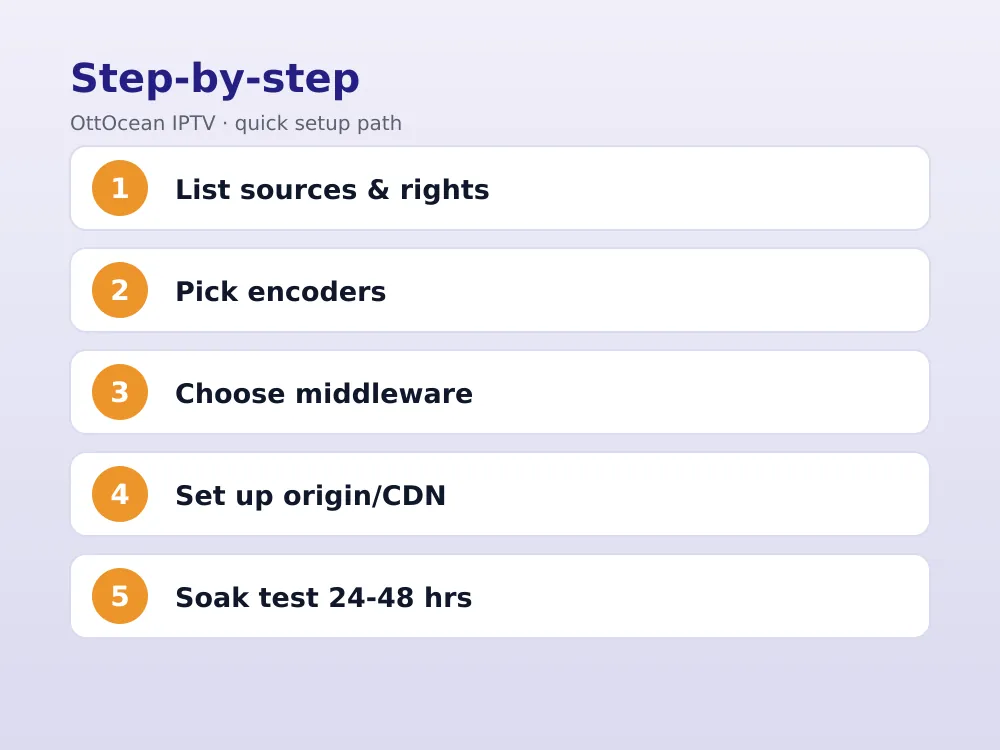
- List every source you need — satellite, local channels, HDMI feeds — and confirm you have the legal right to distribute each one.
- Choose your encoders and match channel count to chassis size (1, 4, or 8-channel units).
- Decide on output protocols per channel: RTMP, HLS, SRT, or UDP multicast.
- Pick middleware software — Flussonic, an Xtream UI-style panel, or TVHeadend for a hobbyist build.
- Set up your origin server and, if needed, a CDN for external delivery.
- Configure your network: static IPs, VLANs for multicast traffic, and enough switch bandwidth for peak load.
- Build your channel lineup and EPG (electronic program guide) data inside the middleware.
- Set up client apps or set-top boxes on every endpoint and point them at the middleware.
- Run a soak test — 24 to 48 hours of real load — and monitor for buffering, drops, and CPU spikes.
- Document the configuration, set up monitoring alerts, and schedule regular firmware and software updates.
Skipping the soak test in step 9 is the single most common reason a new build looks fine in testing and then falls over during the first busy weekend.
Choosing Your Encoders and Sources
Encoder choice depends entirely on source count and budget. A single-source hobby build can run on one HDMI encoder costing a couple hundred dollars; a hotel relaying a dozen channels needs a proper headend equipment list built around 4- or 8-channel rackmount units.
Match codec to your bandwidth. H.265 roughly halves the bitrate of H.264 at similar visible quality, which matters a lot once you are multiplying that bitrate across a dozen channels and dozens of simultaneous viewers. Most 2026-era encoders support both, so pick H.265 unless an older client device in your fleet cannot decode it.
Middleware and Origin Server Options: Flussonic, Xtream UI Alternatives, and TVHeadend
Middleware is where an IPTV headend setup becomes a manageable product rather than a pile of streams. Flussonic Media Server is the commercial standard for mid-size operations — transcoding, ABR packaging, DVR, and a solid admin panel in one package.
Resellers historically leaned on Xtream Codes-style panels; since the original project’s shutdown, several community forks and alternatives (often marketed as “Xtream UI alternatives”) fill that niche, offering subscriber management, reseller tiers, and M3U/Xtream API output. Vet any of these carefully for maintenance activity before building a business on top of one.
TVHeadend is the open-source, free option favored by hobbyists and small campus builds. It handles tuner cards, EPG grabbing, and basic transcoding well, though it lacks the polish and support contracts of a commercial platform — fine for a low-stakes hotel tv headend system, less so for a paid reseller business.
| Platform | Cost | Best For | Support |
|---|---|---|---|
| Flussonic | $$ (licensed) | Mid-size commercial headends | Commercial support |
| Wowza Streaming Engine | $$ (licensed) | Broadcast-grade delivery | Commercial support |
| Xtream UI-style panels | $ (varies) | Small resellers | Community/forum |
| TVHeadend | Free | Hobbyists, campus builds | Community only |
Network Requirements: Switches, VLANs, and Bandwidth Planning
The network underneath your rack matters as much as the encoders sitting on top of it. A single 4K channel at a reasonable H.265 bitrate needs roughly 15–25 Mbps; multiply that by every simultaneous channel and viewer to size your switches correctly.
Managed switches with IGMP snooping are non-negotiable for a multicast deployment — without it, every multicast packet floods to every port, saturating the network even at low viewer counts. Budget for gigabit ports throughout, and 10-gigabit uplinks between switches once you pass a few dozen simultaneous channels.
VLANs keep IPTV traffic separate from guest Wi-Fi, staff systems, and anything else sharing the network. A dedicated VLAN for headend traffic, with QoS rules prioritizing video packets, prevents a busy Saturday night from turning into a buffering nightmare across the whole building.
Wireless delivery is possible for tablets and phones, but wired connections remain the standard for set-top boxes and smart TVs in any serious deployment — Wi-Fi congestion is one of the most common causes of intermittent buffering complaints in hotel and campus builds.
Client Devices and Set-Top Boxes for Your Headend
The last link in any IPTV headend setup is whatever sits in front of the viewer — a dedicated set-top box, a smart TV app, or a software player on a shared PC. Hotels commonly deploy Android-based set-top boxes preloaded with a locked-down launcher pointed straight at the property’s channel lineup.
Campuses and offices often skip dedicated boxes entirely and push a player app — commonly a TiviMate- or IPTV Smarters-style client — onto existing smart TVs or media players already in classrooms and common areas.
Whatever you choose, standardize on one or two client platforms. Supporting a dozen different app versions across mismatched hardware turns every firmware update and channel change into a support ticket multiplier, and that overhead adds up fast once you are past a handful of endpoints.
Redundancy and Failover for a Production IPTV Headend Setup
Once a headend serves paying guests or subscribers, single points of failure become business risk rather than an inconvenience. A dropped encoder during a big game or a crashed middleware server during checkout weekend generates support calls fast.
Commercial-grade builds typically run redundant encoders in a hot-standby configuration, with automatic failover triggered by a health-check script or the middleware’s built-in monitoring. Origin servers often run in an active-passive pair behind a load balancer, so one server failing does not take the whole channel lineup offline.
Smaller builds can get meaningful protection cheaply: keep one spare encoder on the shelf, pre-configured and ready to swap in, and schedule automated backups of your middleware configuration so a hardware failure costs an hour, not a week of reconfiguration.
UPS battery backup for the rack is the cheapest insurance of all — a brief power blip that would otherwise reboot every device in the chain simultaneously is instead absorbed, keeping the stream up through anything short of an extended outage.
Multicast vs. Unicast: Which Delivery Model Fits Your Headend?
This decision shapes your whole IPTV headend setup. Multicast sends one stream that the network replicates to every subscriber on a closed LAN — the standard for hotel and campus deployments because bandwidth use stays flat no matter how many rooms are watching the same channel.
Multicast video distribution requires IGMP snooping-capable switches and careful VLAN planning; get it wrong and either nobody gets a picture or every switch port floods with traffic. See Wikipedia’s IP multicast overview for the underlying mechanics.
Unicast sends a separate stream per viewer, which is simpler to configure and works over the open internet, but bandwidth cost scales directly with viewer count. Most reseller businesses serving the public internet use unicast (often via HLS) because their viewers are not on one shared local network.
Some larger reseller operations run both models simultaneously — multicast internally for on-property rebroadcast, and unicast HLS for a public-facing app — accepting the added complexity in exchange for properly covering both audiences.
IPTV Headend Setup Costs for Hotels, Campuses, and Resellers
Costs vary enormously by scale. A small hotel with 20–50 rooms and a handful of channels can get a working IPTV headend setup running for $3,000–$8,000 in hardware, plus a modest annual middleware license.
- Small hotel (20-50 rooms): $3,000–$8,000 hardware, TVHeadend or entry-level panel.
- Campus or large hotel: $8,000–$20,000, multi-channel encoders, Flussonic license.
- Reseller headend (public-facing): $15,000–$50,000+, redundant servers, CDN costs, commercial middleware.
Ongoing costs matter as much as the upfront build: bandwidth, CDN fees if you scale past your own network, and middleware renewal all recur every year. Our IPTV reseller business guide breaks down the ongoing economics in more detail.
Bandwidth costs also scale with your delivery model. A closed hotel LAN using multicast pays for bandwidth once, regardless of viewer count, while a public-facing reseller using unicast HLS pays per stream, per viewer — that difference alone can swing a five-year total cost of ownership by tens of thousands of dollars.
Common Mistakes That Break a New IPTV Headend Setup
We see the same handful of mistakes repeatedly when a new build goes wrong shortly after launch.
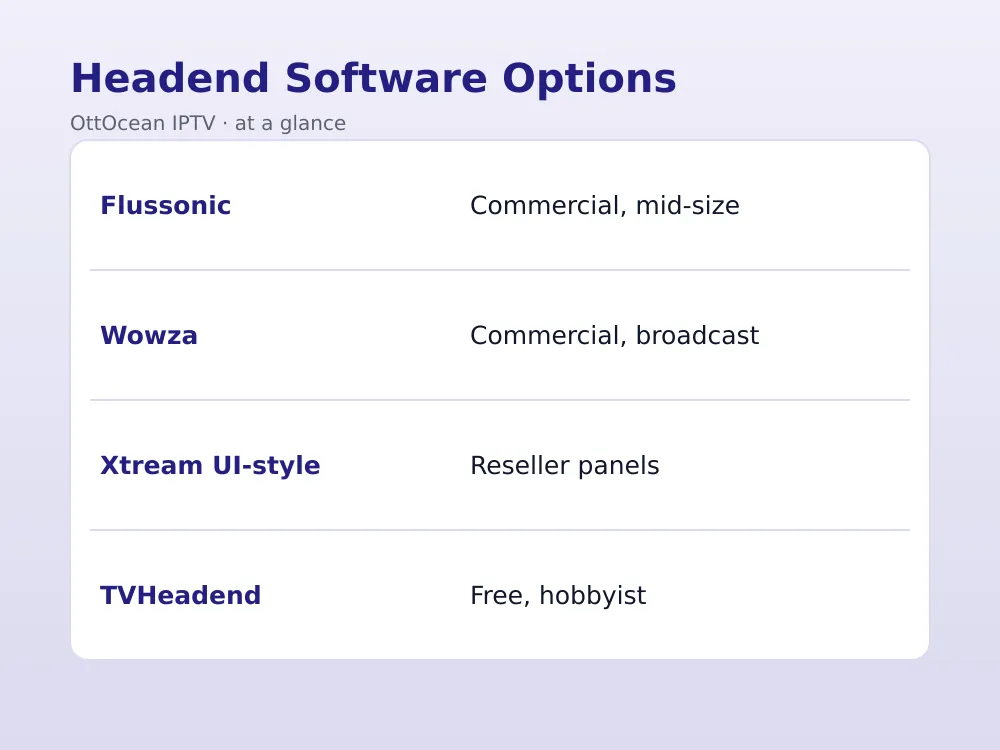
- No soak testing: a stream that works fine for one viewer can collapse under 50 simultaneous connections if the server or network was never load-tested.
- Ignoring HDCP on capture sources: protected HDMI sources need HDCP-compliant paths; skipping this leads to black screens at launch.
- Undersized switches: consumer-grade switches without proper multicast/IGMP support choke under real hotel or campus load.
- No monitoring: without alerting on stream health, the first sign of trouble is an angry front-desk call.
- Skipping documentation: the person who built the headend eventually leaves; undocumented configs turn small fixes into archaeology projects.
Key takeaways
- An IPTV headend setup chains sources, encoders, middleware, and delivery into one managed system.
- Match your delivery model to your audience: multicast for a closed hotel or campus LAN, unicast for public internet viewers.
- Flussonic and Wowza lead the commercial middleware space; TVHeadend is the free option for hobbyist and campus builds.
- Budget $3,000–$8,000 for a small hotel build, $15,000+ for a public-facing reseller headend.
- Always confirm legal distribution rights for every source before it goes into your headend equipment list.
- Soak-test for at least 24 hours before declaring a new IPTV headend setup production-ready.
- Document the build — configs, IPs, and credentials — so the system survives staff turnover.
FAQ: IPTV Headend Setup
How long does a typical IPTV headend setup take to build?
A small hotel build with off-the-shelf encoders and a hosted middleware panel can go from parts arriving to a working system in one to two weeks, including a proper soak test. Larger campus or reseller headends with custom middleware integration and redundant servers often take four to eight weeks, mostly due to network planning and channel-by-channel testing.
What is the difference between a headend and a CDN?
The headend is where content originates — sources get encoded, packaged, and prepared for distribution. A CDN is the delivery layer that replicates and caches that stream closer to viewers, reducing load on your origin server and improving playback for geographically spread audiences. A small internal IPTV headend setup, like a hotel’s, often skips a CDN entirely and serves everything from its own local network.
Can I build an IPTV headend setup without hardware encoders?
Yes — software encoders like OBS Studio or FFmpeg running on a capable PC can replace dedicated hardware for small builds, especially single-source setups. The trade-off is hands-off reliability: hardware encoders run standalone and recover from power blips automatically, while a software rig depends on a healthy, always-on computer behind it.
Do I need multicast for a hotel IPTV headend setup?
Not strictly, but it is strongly recommended once you pass a handful of rooms. Multicast video distribution keeps bandwidth flat regardless of how many rooms watch the same channel, while unicast duplicates the stream per viewer and can saturate an internal network fast. Multicast does require IGMP-capable switches, so factor that into your network hardware budget.
What software runs a small IPTV headend setup on a budget?
TVHeadend is the most common free option — it handles tuner input, EPG, and basic transcoding well enough for a small campus or hobbyist build. For anything customer-facing or revenue-generating, though, a commercial platform like Flussonic offers support contracts and reliability that a volunteer-maintained open-source project cannot guarantee.
How many channels can one IPTV headend setup realistically support?
That depends entirely on your encoder chassis and server capacity, not some fixed ceiling. An 8-channel rackmount encoder plus a capable origin server can comfortably run a few dozen channels for a mid-size hotel; larger reseller operations scale into hundreds of channels by adding more encoder chassis and horizontally scaling the origin/CDN layer.
Conclusion
A working IPTV headend setup is really just five familiar building blocks — sources, encoders, middleware, an origin server, and a delivery network — assembled in the right order and tested properly before launch. Follow the 10-step sequence, budget realistically for your scale, and document everything as you go. Most failed builds we have seen trace back to skipping the soak test or underestimating network hardware, not to picking the “wrong” encoder brand — so spend your planning time there first.
If your goal is simply to offer great IPTV to guests, students, or customers without building any of this yourself, OttOcean’s 5-day free trial gives you 25,000+ channels with no credit card required, and our subscription plans start at $9.99 a month for anyone who would rather skip the hardware entirely.


