
Last updated: October 5, 2026
IPTV on Onn Google TV Box setups are one of the best budget deals in streaming right now, since Walmart’s house-brand box costs as little as $20-25 and runs full Google TV with Play Store access. We walked through the entire process on both the standard and Pro models to confirm every step below actually works in 2026.
On this page
- What Is the Onn Google TV Box
- The 6-Step Setup: IPTV on Onn Google TV Box
- Onn 4K Box vs Onn 4K Pro: Which to Buy
- Ethernet Adapter Tip for Buffer-Free IPTV on Onn Google TV Box
- Onn Box vs Fire Stick 4K: Performance for IPTV
- Sideloading Apps via Downloader if the Play Store Is Missing One
- Storage, Multiple Apps, and EPG on the Onn Box
- Troubleshooting Common Onn Box IPTV Issues
- Key Takeaways
- FAQ: IPTV on Onn Google TV Box
- Get Started with IPTV on Onn Google TV Box
What Is the Onn Google TV Box
The Onn 4K Streaming Box is Walmart’s own streaming device, built on Google TV rather than a custom launcher, which means it runs the real Google Play Store instead of a limited storefront. It regularly sells for $19.88-$24.88, undercutting a Fire TV Stick 4K by ten dollars or more, and includes a voice remote with Google Assistant built in.
A step-up Onn 4K Pro model adds more RAM, a faster processor, and Dolby Vision/Atmos support for a noticeably smoother interface, at a price still well under $40. For anyone building a walmart iptv box setup on a budget, either version handles live channel playback from an IPTV app just fine, since video decoding is a separate workload from general UI speed.
What actually sets IPTV on Onn Google TV Box apart from a smart TV’s built-in apps is flexibility: you are not locked into whatever streaming catalog the TV manufacturer bundled at the factory. The box becomes the smart layer, so even a five-year-old television gains the same Google TV interface, Play Store, and voice remote as a brand-new model, for a fraction of the price of replacing the whole TV.
The 6-Step Setup: IPTV on Onn Google TV Box
Getting live channels running takes six short steps from unboxing to your first watched program. None of them require a computer or command line, and the whole process realistically takes eight to ten minutes including the initial Google account sign-in.
- IPTV Smarters Pro — clearest login screen, good default choice for beginners
- TiviMate — deeper EPG customization and multi-playlist support
- XCIPTV — built-in catch-up and recording features on supported plans
- GSE IPTV — lightweight option that runs well even on the base Onn box
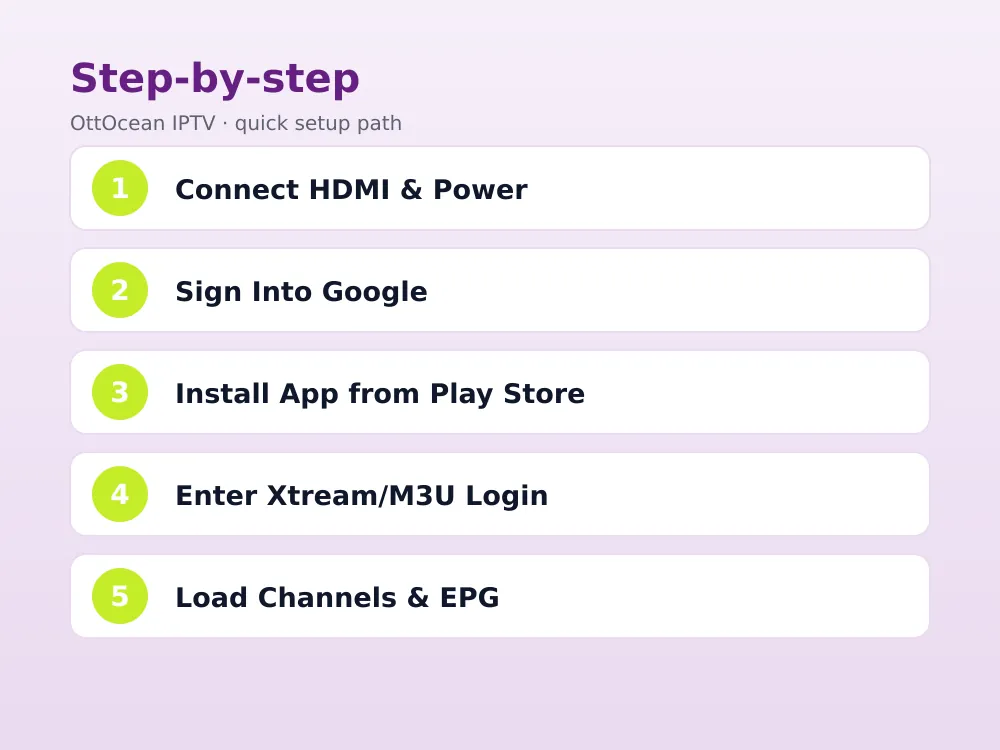
Step 1: Connect to HDMI and Power
Plug the onn 4k streaming box into a free HDMI port and connect the included power cable to an outlet or the TV’s USB port if it supplies enough power. Switch your television’s input to match the HDMI port used, and the Google TV setup wizard should appear automatically on first boot.
Step 2: Connect Wi-Fi and Sign Into Google
Follow the on-screen prompts to join your Wi-Fi network, then sign in with an existing Google account or create a new one. This step is required even if you only plan to use the box for IPTV, since the Play Store sits behind a Google account on every Google TV device.
Step 3: Open the Play Store and Search for Your App
From the home screen, open the Apps row or the Play Store icon directly, then search for “IPTV Smarters Pro,” “TiviMate,” “XCIPTV,” or “GSE IPTV” depending on which player you prefer. All four are available as normal Play Store downloads on Google TV, unlike Fire OS where some require sideloading.
Step 4: Install and Open the App
Tap Install, wait for the download to finish, then open the app from either the Play Store page or your home screen’s recently-added row. First launch usually presents a login screen asking for either an Xtream Codes API connection or an M3U playlist URL.
Step 5: Enter Your Xtream Codes or M3U Login
Type in the server address, username, and password from your provider’s Xtream Codes panel, or paste the full M3U URL if that is the format you were given. OttOcean IPTV and most premium services hand out both formats, so use whichever your chosen app’s login screen asks for.
Step 6: Load the Channel List and EPG
After a successful login, the app pulls down the full channel list and, if available, the electronic program guide. This can take thirty seconds to two minutes on a large channel count in the thousands. Once loaded, browse by category, mark favorites, and start watching.
Onn 4K Box vs Onn 4K Pro: Which to Buy
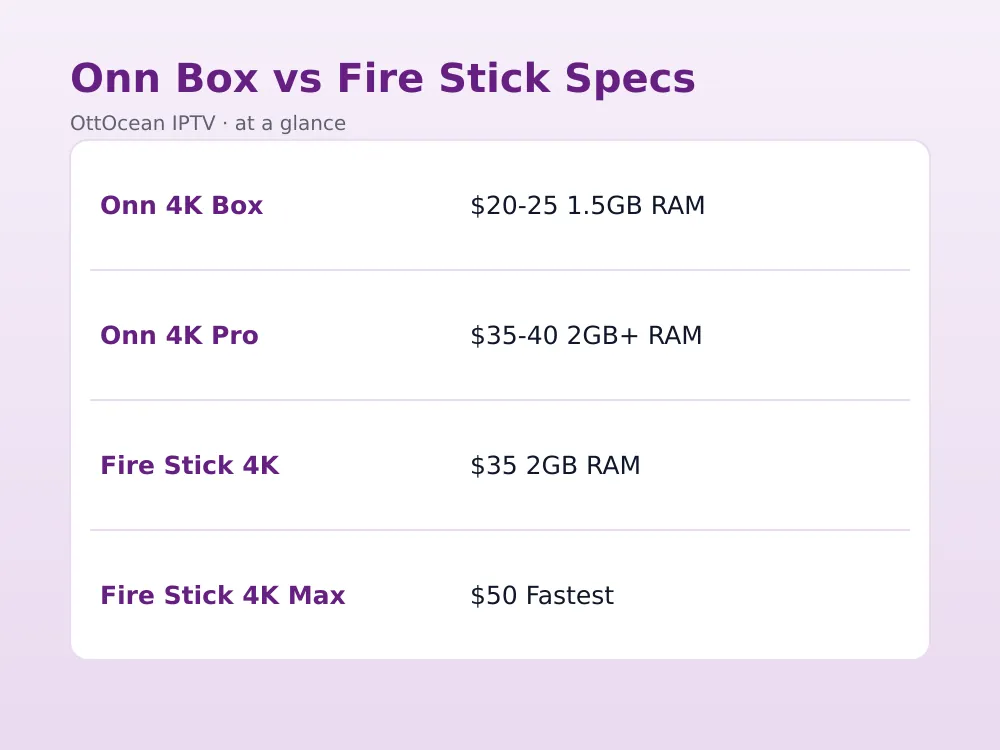
The standard Onn 4K Streaming Box is the better pick if budget is the main concern and you mostly watch standard HD or 4K channels without heavy multitasking. It handles IPTV on Onn Google TV Box duties just fine, though the interface itself can feel a step slower than a Fire Stick 4K Max when switching between apps.
The Onn 4K Pro adds noticeably more horsepower: faster app switching, better handling of animated UI elements, and support for higher dynamic range formats. If you plan to run multiple IPTV apps side by side, or want the smoothest possible experience for the extra ten dollars or so, the Pro model is worth the upgrade.
| Model | Price | RAM | Best For |
|---|---|---|---|
| Onn 4K Streaming Box | ~$20-25 | 1.5GB | Budget IPTV viewing |
| Onn 4K Pro | ~$35-40 | 2GB+ | Smoother multitasking |
| Fire TV Stick 4K | ~$35 | 2GB | Larger app catalog |
| Fire TV Stick 4K Max | ~$50 | 2GB | Fastest Fire OS option |
Ethernet Adapter Tip for Buffer-Free IPTV on Onn Google TV Box
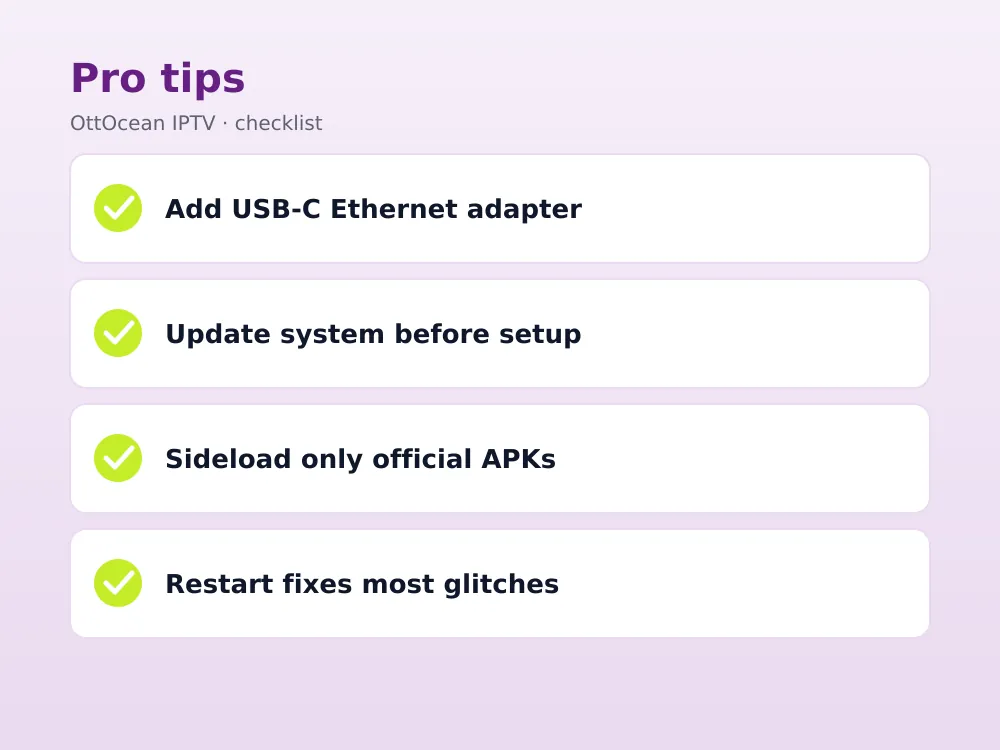
The Onn box has no built-in Ethernet port, relying entirely on Wi-Fi out of the box. If your router is far from the TV or your Wi-Fi is congested during peak evening hours, a USB-C to Ethernet adapter (roughly $8-12) plugged into the box’s USB-C port gives you a wired connection instead, which nearly eliminates buffering on 4K channels.
This single accessory is the most common fix we see recommended for anyone whose onn 4k streaming box buffers despite a fast home internet plan, since Wi-Fi congestion rather than overall bandwidth is usually the real bottleneck. Confirm the specific adapter is USB-C powered/data capable rather than charge-only before buying, since some cheap cables only carry power.
Most USB-C to Ethernet adapters sold for phones and laptops work fine with the Onn box, since it is a standard USB-C data port rather than a proprietary connector. Look for one rated at 100Mbps or faster; even basic models comfortably exceed the 25 Mbps needed for smooth 4K IPTV playback with plenty of headroom left over.
Onn Box vs Fire Stick 4K: Performance for IPTV
For pure IPTV playback, the difference between an Onn box and a Fire Stick 4K is smaller than the marketing suggests. Both decode H.264 and HEVC streams in hardware, both run IPTV Smarters Pro and TiviMate identically well, and both support 4K HDR output on compatible channels. The real difference shows up in general interface speed and app catalog size.
Fire Stick still has the larger overall app ecosystem and a slightly snappier remote experience thanks to years of Amazon software refinement. The Onn box wins on price and on Play Store access, which some IPTV apps prefer since Google’s app review process is different from Amazon’s. Either is a genuinely good choice for a walmart iptv box style budget setup.
If you already own a Fire Stick and are only considering an Onn box because of the lower price, the honest answer is that the upgrade is marginal for IPTV specifically. Where the Onn box earns its keep is as a second or third TV in the house, letting you add IPTV on Onn Google TV Box in a bedroom or kitchen for less than the cost of a single month of most cable add-on packages.
Sideloading Apps via Downloader if the Play Store Is Missing One
Occasionally an IPTV app is not listed in the Play Store for your specific region. In that case, install the Downloader app from the Play Store first, then use it to fetch the app’s APK file directly from the developer’s official site or a known-safe APK mirror. Enter the file’s URL into Downloader and it installs automatically.
Only sideload from sources you trust, since APK files from unknown sites can carry malware. IPTV Smarters Pro, TiviMate, and GSE IPTV all publish official APKs on their own websites specifically for this scenario, which is the safer route compared to random third-party APK repositories.
After sideloading, the app behaves exactly like a Play Store install: same login screen, same channel list behavior, same EPG support if your provider offers one. The only functional difference is that Downloader-installed apps will not auto-update through the Play Store, so check back periodically for a newer APK version if the developer releases one with bug fixes or new features.
Storage, Multiple Apps, and EPG on the Onn Box
The base Onn 4K Streaming Box ships with 8GB of internal storage, which is enough for two or three IPTV apps alongside a handful of streaming services like Netflix or YouTube. If you plan to run IPTV Smarters Pro, TiviMate, and a couple of on-demand apps together, keep an eye on Settings > Storage and uninstall anything unused before it fills up, since a nearly-full Google TV device tends to slow down noticeably.
Once your channel list loads, spend a minute setting up favorites and the electronic program guide before your first real viewing session. Most IPTV apps let you long-press a channel to add it to a favorites row, which matters a lot once your walmart iptv box is pulling in several thousand channels from a full Xtream Codes package. The EPG, when your provider supplies one, shows what’s currently airing and what’s coming up next for each favorited channel.
A short legal note: IPTV itself is just a delivery method, the same way cable or satellite is. What matters is whether the channels a service streams are properly licensed. OttOcean IPTV is sold and described as a subscription streaming service, and, as with any subscription, you are responsible for how you use it and for following the laws that apply where you live.
Troubleshooting Common Onn Box IPTV Issues
If channels load but freeze constantly, check Settings > Network to confirm your Wi-Fi signal strength, and consider the Ethernet adapter fix above. If the app crashes on launch, clear its cache from Settings > Apps > See All Apps, then reopen it before reinstalling entirely. A blank channel list almost always traces back to a mistyped Xtream Codes password or an M3U URL copied with an extra space.
For IPTV on Onn Google TV Box specifically, a factory-fresh box occasionally needs a system update before the Play Store shows every app correctly; check Settings > System > About > System Update before troubleshooting further. Restarting the box (hold the power button on the remote for a few seconds) resolves the large majority of playback glitches we have seen reported. If problems persist after a restart and a fresh app install, reach out to your provider’s support team, since a channel-specific outage on the source side looks identical to a device problem from the viewer’s chair.
Key Takeaways
- The Onn 4K Streaming Box costs $19.88-$24.88 and runs the full Google Play Store
- IPTV on Onn Google TV Box takes six steps and roughly ten minutes start to finish
- TiviMate, IPTV Smarters Pro, XCIPTV and GSE IPTV are all direct Play Store installs, no sideloading needed for most regions
- A $8-12 USB-C Ethernet adapter fixes most buffering caused by Wi-Fi congestion
- The Onn 4K Pro offers smoother multitasking than the base model for a modest price increase
- Playback quality is nearly identical to a Fire Stick 4K; the difference is mostly UI speed and app catalog size
- Sideload only from official app websites via the Downloader app if a title is missing from Play Store
FAQ: IPTV on Onn Google TV Box
Which IPTV app works best on the Onn Google TV Box?
IPTV Smarters Pro and TiviMate both work reliably and are direct Play Store downloads on Google TV. IPTV Smarters Pro is friendlier for beginners with clearer login prompts, while TiviMate offers more customization for the channel guide layout once you are comfortable with the interface.
Does the onn 4k streaming box support 4K IPTV channels?
Yes, the Onn 4K Streaming Box outputs up to 4K at 60Hz with HDR support, and decodes H.264 and HEVC 4K streams in hardware. Actual picture quality still depends on your internet speed and the specific channel’s source bitrate, with roughly 25 Mbps recommended for stable 4K playback.
Do I need to sideload apps for IPTV on Onn Google TV Box?
Usually not. IPTV Smarters Pro, TiviMate, XCIPTV, and GSE IPTV are all listed directly on the Google Play Store for most regions. Sideloading via the Downloader app is only needed if a specific app is unavailable in your country’s Play Store listing.
How do I fix a tivimate onn setup that keeps buffering?
Add a USB-C to Ethernet adapter for a wired connection, which resolves most buffering tied to Wi-Fi congestion. Also confirm your plan meets 10-15 Mbps for HD or 25 Mbps for 4K, and check that no other devices on your network are streaming simultaneously during peak hours.
Is a walmart iptv box as reliable as a name-brand streaming stick?
Yes. The Onn box runs genuine Google TV software with regular updates from Google, not a stripped-down alternative. Hardware reliability has been solid across both the standard and Pro models since launch, and it handles IPTV apps with the same stability as a Fire Stick or Chromecast.
Can I use my existing Xtream Codes login on the Onn box?
Yes, any Xtream Codes API login or M3U playlist URL works identically across IPTV Smarters Pro, TiviMate, XCIPTV, and GSE IPTV on the Onn Google TV Box. There is nothing device-specific about the login itself; it is the same credentials you would use on a phone, Fire Stick, or smart TV.
How many IPTV apps can I install on a walmart iptv box?
The base Onn 4K Streaming Box has 8GB of storage, enough for two or three IPTV apps plus a few extras before space runs tight. The Onn 4K Pro has more headroom. If storage becomes an issue, uninstall unused apps from Settings rather than trying to run everything at once.
Get Started with IPTV on Onn Google TV Box
For twenty to twenty-five dollars, the Onn Google TV Box is one of the best value streaming devices for live channels in 2026. The six-step setup above takes less time than unboxing most electronics, and the Play Store access means no sideloading for the major IPTV apps in most regions. Add a cheap Ethernet adapter if buffering ever becomes an issue.
To test the process yourself, OttOcean IPTV offers a 5-day free trial with no credit card required, giving you a real Xtream Codes login to try on your Onn box before subscribing. Full plan pricing is on the IPTV subscription plans page. For a deeper look at TiviMate’s channel guide and EPG options, see our TiviMate setup guide, and for other Android TV devices see our Android TV IPTV guide. For official specs on the Google TV platform itself, see Google TV’s official site.
Once you have completed the six steps, IPTV on Onn Google TV Box needs almost no ongoing maintenance beyond occasional system updates and reinstalling your app if you ever factory reset the box. It remains one of the cheapest ways to turn any television into a full live-TV streaming setup without a long-term contract or a cable box rental fee.


