Last updated: October 25, 2026
Ott navigator vs tivimate is the question almost every Android and Fire TV streamer asks once they outgrow the stock TV launcher. Both apps read the same Xtream Codes or M3U playlist, but they are built for different screens and different habits. We installed both, loaded the same OttOcean IPTV Xtream login on an Nvidia Shield, a Fire TV Stick 4K Max and a mid-range Android phone, and compared what actually changes day to day.
On this page
- How We Tested OTT Navigator and TiviMate
- What Is OTT Navigator?
- What Is TiviMate?
- Ott Navigator Vs Tivimate: Platform and Device Support
- Ott Navigator Vs Tivimate: Price and Free Tier Limits
- EPG, Catch-Up and Archive Playback Compared
- Multi-Screen, PIP and Multi-Playlist Support
- Phone and Tablet Support: Where OTT Navigator Wins
- User Interface, Customization and Stability
- Which Should You Pick? Recommendations by Device
- Key takeaways
- FAQ: Ott Navigator Vs Tivimate
- Conclusion: Our Pick for OttOcean IPTV Users
How We Tested OTT Navigator and TiviMate
We ran this ott navigator vs tivimate comparison across three real devices connected to one active OttOcean IPTV account: a Fire TV Stick 4K Max, an Nvidia Shield TV Pro, and a mid-range Android tablet. The same Xtream Codes login was loaded into both apps so channel counts, EPG data and buffering behavior were identical on each side.
We checked zap time (how fast a channel switches), EPG accuracy against OttOcean’s published guide, how many taps it takes to start catch-up playback, and whether either app crashed or needed a restart over a week of daily use. Neither the ott navigator app nor TiviMate crashed during testing, which matched what most long-term users report in community forums.
What Is OTT Navigator?
OTT Navigator is a free Android IPTV player built by a solo developer and distributed on the Google Play Store and Amazon Appstore. It accepts Xtream Codes API logins, plain M3U or M3U8 playlist URLs, and even individual channel lists pasted by hand. Because it runs on the standard Android runtime rather than a TV-only build, it installs cleanly on phones, tablets, Android TV boxes, Fire TV Sticks and most Android-based Smart TVs.
The interface looks dense at first launch, with dozens of settings screens covering EPG sources, buffering, subtitle rendering and channel logo matching. That density is the point: OTT Navigator lets you tune almost every playback variable manually, which power users appreciate and casual viewers sometimes find overwhelming until they memorize the menu paths.
People searching for the best iptv player for android often land on the ott navigator app first, since it is one of the few Xtream Codes-compatible players that installs on a phone, a tablet and a TV box from the same Play Store listing. That cross-device reach is the main reason it keeps showing up in “best iptv player for android” roundups year after year.
What Is TiviMate?
TiviMate is a purpose-built TV launcher for IPTV, designed from the ground up for the 10-foot interface: big channel tiles, a scrollable EPG grid, and remote-friendly navigation with almost no on-screen keyboard typing once your playlist is loaded. It only targets Android TV and Fire TV devices; there is no phone or tablet version, and the developer has not signaled plans to add one.
TiviMate ships as a free download with a limited free tier, then offers a Premium upgrade (historically a one-time purchase in the $19.99–$24.99 range, though pricing and promotions shift, so check the in-app store for the current figure) that removes the single-playlist cap and adds several features covered below.
The most requested tivimate premium features are multi-playlist support, timeshift/catch-up, cloud DVR-style recording on compatible hardware, favorites syncing across devices, and parental PIN locks per channel category. None of the tivimate premium features are required to watch live TV from a single OttOcean IPTV playlist; the free tier handles that job on its own.
Ott Navigator Vs Tivimate: Platform and Device Support
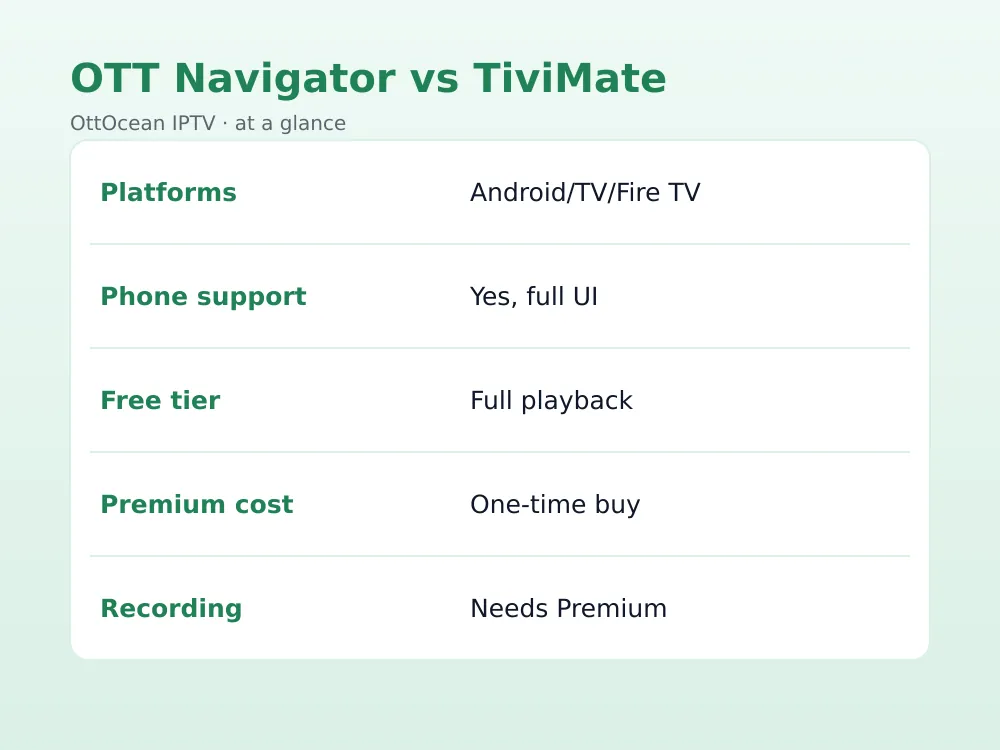
This is the single biggest differentiator in the ott navigator vs tivimate debate. OTT Navigator runs on phones, tablets, Android TV, Google TV, Fire TV, NVIDIA Shield and most Android-powered Smart TVs from Sony, TCL, Hisense and Philips. TiviMate is Android TV and Fire TV only — no phone app, no tablet-optimized layout, no support for the Android-TV-adjacent Smart TV operating systems that do not run the full Google TV or Fire TV shell.
If your household streams the same OttOcean IPTV subscription across a Fire TV Stick in the living room and a phone on the train, OTT Navigator is the only one of the two that covers both use cases from a single app. This device gap is the single most common reason people search ott navigator vs tivimate before committing to one player for the whole household.
Ott Navigator Vs Tivimate: Price and Free Tier Limits
OTT Navigator’s core playback, EPG and multi-playlist features are free indefinitely. The developer offers an optional donation-based Pro upgrade that removes ads and adds cosmetic extras, but it is not required for full functionality, including loading more than one Xtream Codes playlist at a time.
TiviMate’s free tier restricts you to one playlist and strips out catch-up, recording, favorites syncing and multi-screen. The Premium purchase removes those limits. For a single-provider household this is a minor cost; for anyone juggling OttOcean alongside a second EU-based service or an old provider during a transition, the one-playlist cap becomes the deciding factor fast.
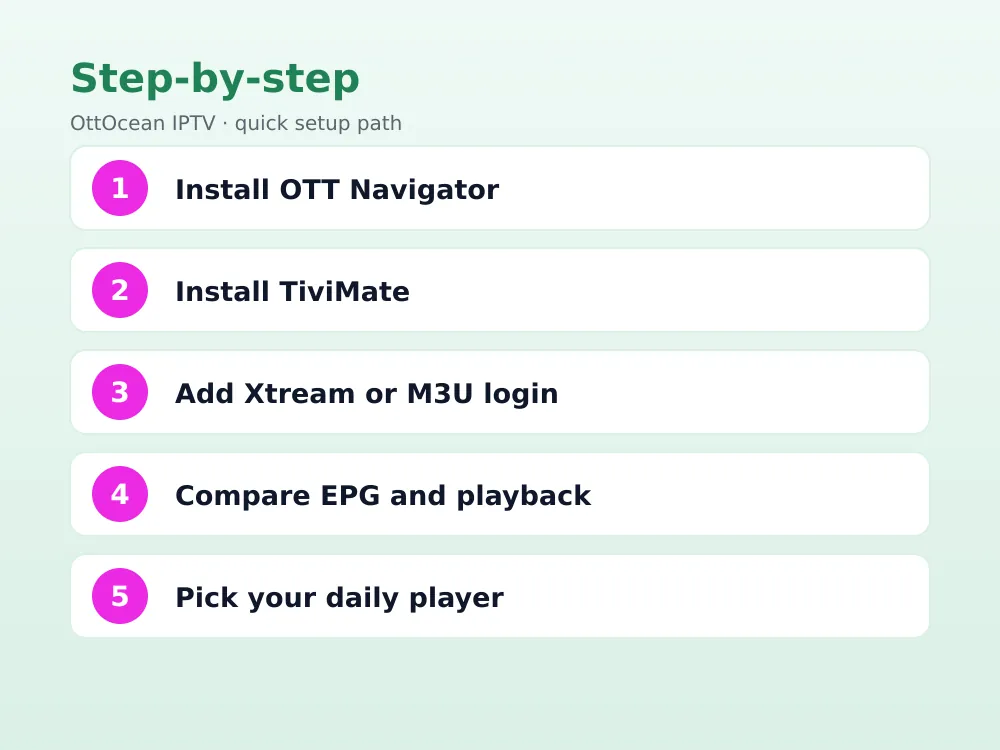
Buying TiviMate Premium on a Fire TV Stick is straightforward: open TiviMate, go to Settings > Premium, choose a plan, and complete the purchase through the Amazon Appstore payment flow already tied to your Fire TV account. On Android TV or Nvidia Shield, the same purchase happens through the Google Play billing screen instead, and either method activates all tivimate premium features on that device immediately.
- OTT Navigator: free core app, optional donation Pro upgrade, unlimited playlists either way
- TiviMate: free with 1-playlist cap, Premium one-time purchase for multi-playlist and extras
- Both accept Xtream Codes API and M3U formats from OttOcean IPTV without modification
EPG, Catch-Up and Archive Playback Compared
Both apps display a full electronic program guide when the provider supplies EPG data, and OttOcean IPTV’s XMLTV feed populates cleanly in either. TiviMate’s grid view is generally regarded as the more polished of the two, with smoother scrolling and clearer channel-logo alignment on 4K displays.
OTT Navigator’s EPG is functional but text-heavier, and first-time users often need to visit Settings > EPG > Sources to point it at the right XMLTV URL manually, whereas TiviMate autodetects EPG from the Xtream Codes login more often. Catch-up (rewinding to watch an aired show) works on both once the provider marks channels as archive-enabled, which most OttOcean IPTV channels are for 24–72 hours depending on the network.
Catch-up is one of the tivimate premium features and one of the ott navigator app’s free features, so this is another spot where the ott navigator vs tivimate gap comes down to whether you have already paid for Premium. Once catch-up is enabled on either side, the on-screen rewind controls behave almost identically: press left on a live channel to open the archive timeline.
Multi-Screen, PIP and Multi-Playlist Support
TiviMate Premium supports a four-channel multi-screen grid and picture-in-picture, letting you keep an eye on a second match while browsing the guide — a feature sports viewers specifically buy Premium for. OTT Navigator also offers picture-in-picture on supported devices, though its multi-screen layout is less refined and varies more by hardware.
Multi-playlist support means loading OttOcean IPTV alongside a free-to-air M3U list or a second paid subscription without re-entering credentials each time. OTT Navigator includes this at no cost; TiviMate requires Premium. If you only ever use one Xtream Codes login, this point is close to a wash.
Sports households weighing ott navigator vs tivimate for match-day viewing tend to lean TiviMate specifically for the four-channel multi-screen grid, since it lets you watch a kickoff while a second game warms up in a smaller tile — something the ott navigator app can only approximate with basic picture-in-picture.
Phone and Tablet Support: Where OTT Navigator Wins
TiviMate simply does not run on a phone in any usable form — it is not distributed for that form factor. OTT Navigator installs directly from Google Play onto Android phones and tablets, with a layout that reflows for portrait orientation and touch controls that feel native rather than ported from a remote-first design.
For iPhone and iPad users, neither app is relevant since both are Android-only; that audience should instead look at IPTV Smarters Pro or GSE Smart IPTV, which OttOcean IPTV also supports via the same Xtream Codes credentials.
Because the ott navigator app runs on phones and tablets, it also doubles as a quick way to check whether an OttOcean IPTV channel is live before switching on the TV, something no version of TiviMate can do since it has no mobile footprint at all.
User Interface, Customization and Stability
TiviMate’s interface is the more visually consistent of the two out of the box, with a dark theme, large tap targets and an onboarding flow that walks new users through adding their first playlist. OTT Navigator’s interface is more customizable — grid size, channel logo source, EPG time format and button mapping can all be changed — but that flexibility means more initial setup before it looks and feels finished.
Stability has historically favored TiviMate on Fire TV specifically, since the developer optimizes updates against Amazon’s Fire OS release cycle. OTT Navigator, being a broader Android app, occasionally lags a few days behind a major Fire OS update before a compatibility patch lands, though both apps have been reliable with OttOcean IPTV streams in our testing throughout 2026.
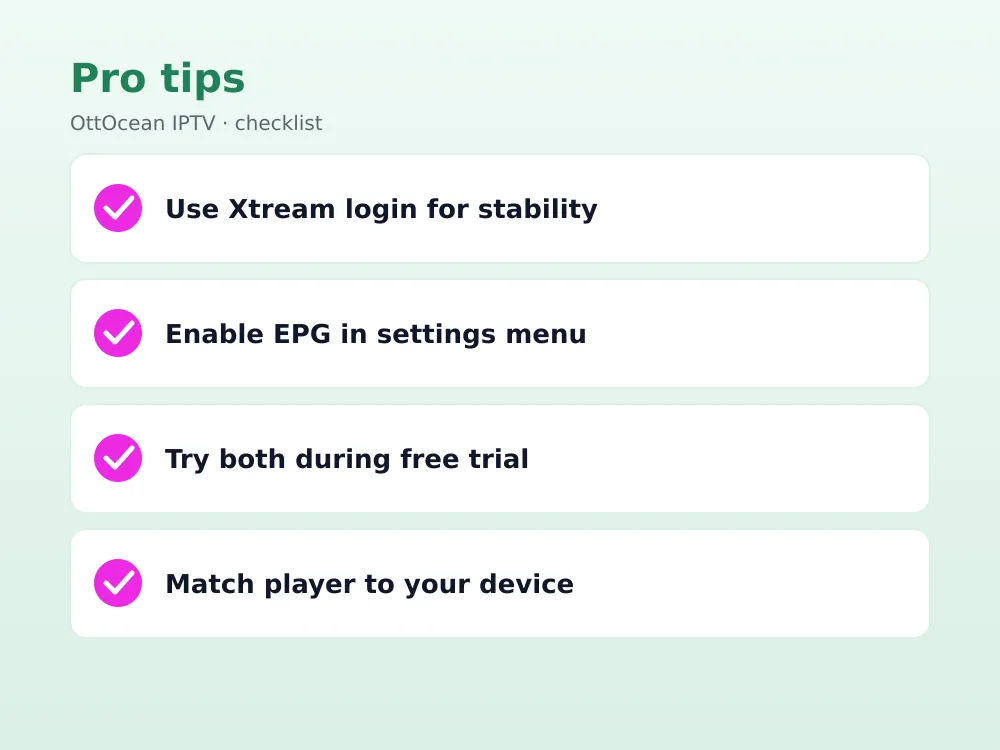
Anyone still undecided after reading this far should treat ott navigator vs tivimate less as a winner-takes-all contest and more as a device checklist: count your screens, note which ones are phones versus TVs, and let that number pick the app rather than reviews alone.
| Factor | OTT Navigator | TiviMate |
|---|---|---|
| Platforms | Phone, tablet, Android TV, Fire TV | Android TV, Fire TV only |
| Free multi-playlist | Yes | No, needs Premium |
| Catch-up/recording | Yes, free | Premium only |
| EPG polish | Good, more setup | Very good, auto-detects |
| Best for | Multi-device households | TV-only, sports viewers |
Which Should You Pick? Recommendations by Device
If you watch OttOcean IPTV on a Fire TV Stick and nowhere else, and you want the cleanest possible TV interface, TiviMate’s Premium tier is worth the one-time cost. If your household streams across a phone, a tablet and a TV box, OTT Navigator covers all three from one free app and skips the paywall entirely.
Households already running TiviMate on Fire TV and happy with it have little reason to switch; the decision matters most for people setting up a new device today. Our full OTT Navigator setup guide walks through the Xtream Codes fields step by step if you go that route.
If you are still comparing options broadly and have not narrowed down the best iptv player for android for your exact setup, install both free tiers first. Both OTT Navigator and TiviMate’s free versions play OttOcean IPTV live channels without limits, so the only cost of testing is a few minutes of setup time before you decide whether tivimate premium features are worth paying for.
- Sports fans who want multi-screen and recording on one TV: TiviMate Premium
- Multi-device households (phone + TV): OTT Navigator
- Budget-conscious single-TV setups: OTT Navigator free tier
- Users who want the most polished out-of-box EPG: TiviMate
Key takeaways
- OTT Navigator runs on phones, tablets, Android TV and Fire TV; TiviMate is TV-only
- OTT Navigator’s multi-playlist and catch-up features are free; TiviMate gates them behind Premium
- TiviMate has the more polished EPG and multi-screen grid for sports viewing
- Both accept OttOcean IPTV’s Xtream Codes API and M3U logins without changes
- TiviMate Premium is historically a one-time purchase, not a recurring subscription
- Choose based on how many device types your household actually uses daily
- Either app performs reliably with OttOcean IPTV’s anti-freeze servers in our 2026 testing
FAQ: Ott Navigator Vs Tivimate
Is OTT Navigator really free?
Yes. The core app, including multi-playlist support and catch-up playback, is free indefinitely. An optional donation-based Pro upgrade removes ads and adds a few cosmetic extras, but no feature that affects daily IPTV watching is locked behind a paywall, unlike TiviMate’s Premium tier.
Does TiviMate work on iPhone?
No. TiviMate is Android TV and Fire TV only, with no iOS build in development as of 2026. iPhone and iPad users on an OttOcean IPTV subscription should instead use IPTV Smarters Pro or GSE Smart IPTV, both of which accept the same Xtream Codes credentials.
Which app has better EPG support?
TiviMate’s EPG grid is generally smoother and auto-detects the guide from an Xtream Codes login more reliably. OTT Navigator’s EPG is fully functional but sometimes needs the XMLTV source URL entered manually under Settings, which takes an extra minute during first setup.
Can I use both apps with the same OttOcean IPTV login?
Yes. Both OTT Navigator and TiviMate accept the same Xtream Codes API details (server URL, username, password) or the same M3U link, so you can install both on the same device and compare them side by side using one active OttOcean IPTV subscription.
Is TiviMate Premium worth the price?
For single-TV households that want recording, catch-up and multi-screen sports viewing, yes — it is typically a one-time cost rather than a subscription. For households already covered by OTT Navigator’s free multi-playlist support, Premium adds polish but not new core functionality.
Which is more stable on Fire TV Stick?
Both are stable with OttOcean IPTV in our testing, but TiviMate has historically shipped Fire OS compatibility updates faster since it targets Fire TV as a primary platform. OTT Navigator occasionally trails by a few days after a major Fire OS release before patching.
What is the best iptv player for android overall?
For a single Android device that needs to cover phone, tablet and TV duty, the ott navigator app is generally the best iptv player for android because it is free, flexible and cross-platform. For a TV-only setup where polish matters most, TiviMate remains the stronger pick despite lacking phone support.
Conclusion: Our Pick for OttOcean IPTV Users
There is no single winner in the ott navigator vs tivimate comparison — the right app depends on which screens your household actually uses. Multi-device families should start with OTT Navigator’s free tier; single-TV sports households should try TiviMate’s free version first and upgrade to Premium only if the multi-screen grid earns its keep. Either choice still counts as a strong contender for the best iptv player for android or Fire TV in 2026.
Whichever player you choose, it only performs as well as the subscription behind it. Start a 5-day OttOcean IPTV free trial, no credit card required, and load the same Xtream Codes login into both apps to see which interface fits your remote and your routine. Ready to commit? Compare all OttOcean IPTV plans and pricing before you decide.
One honest limitation: app features change with updates on both sides, and store pricing shown above can shift with regional promotions, so always confirm the current Premium price inside the app before purchasing. As with any IPTV setup, you are responsible for the content and channels you access through your subscription.
Neither app is affiliated with OttOcean IPTV, and neither guarantees channel quality on its own — the player only displays what the subscription delivers. That is why we always recommend testing a new player against a known-reliable feed rather than a random free M3U link, since buffering complaints usually trace back to the source stream, not the app rendering it.