Last updated: October 24, 2026
TiviMate free vs premium is the first decision every new TiviMate user has to make, and it decides whether you’re stuck with a single playlist and basic EPG or get the full DVR-style experience TiviMate is known for. We’ve run both tiers side by side on Fire TV, Android TV, and an NVIDIA Shield to see exactly where the free app stops and Premium starts paying for itself.
On this page
- What Is TiviMate, and Why Does Free vs Premium Matter?
- TiviMate Free vs Premium: What Each Tier Includes
- TiviMate Free vs Premium: The 8 Differences That Matter
- TiviMate Premium Price in 2026
- TiviMate Free vs Premium: Fire TV, Android TV, and iOS Differences
- Is TiviMate Premium Worth It?
- How to Buy TiviMate Premium on Fire TV
- Setting Up TiviMate Premium with an OttOcean IPTV Subscription
- Common TiviMate Premium Issues and Fixes
- Key takeaways
- FAQ: TiviMate Free vs Premium
- Final Verdict: Should You Upgrade to TiviMate Premium?
What Is TiviMate, and Why Does Free vs Premium Matter?
TiviMate is a third-party IPTV player for Android-based devices — Fire TV, Android TV, Google TV boxes, and NVIDIA Shield — built around a live TV grid electronic program guide (EPG) that looks like an actual cable guide. You load your provider’s Xtream Codes login or M3U playlist URL into it, and it turns that feed into live channels, VOD, and series with a proper on-screen guide. The app installs free from the developer’s site or, on Google Play-enabled devices, the Play Store.
The catch is that the free build was never meant to be the finished product — it’s a trial of the interface with one playlist slot and several features locked behind a paid upgrade. We tested this by installing both versions on a clean device, loading the same channel list into each, and checking every menu to see what actually changes day to day, not just on paper.
Understanding tivimate free vs premium up front saves you from loading your channels and then hitting a wall the first time you try a second playlist or rewinding a missed match.
TiviMate has built a loyal following since its early Android TV releases because it treats live TV like actual television instead of a scrolling video list. That reputation is exactly why the tivimate free vs premium question comes up so often in IPTV forums and support tickets — people assume the free app is the full experience until they hit its ceiling a few days in.
TiviMate Free vs Premium: What Each Tier Includes
Both tiers use the same player engine, so picture quality and buffering performance are identical — Premium doesn’t stream any better, it just turns on more of the app around the stream. Here’s what you actually get on each side.
TiviMate Free includes:
- One playlist (a single Xtream Codes login or M3U URL) at a time
- Live TV grid with a shortened EPG window, often 24 to 48 hours
- Basic VOD and series browsing
- Occasional in-app ads and upgrade prompts
- No catch-up or timeshift, even on channels that support it
- No recording, limited favorites, and no parental PIN lock
TiviMate Premium adds:
- Multiple playlists switchable from one menu, useful if you run two IPTV subscriptions
- Full catch-up and timeshift on any channel your provider supports
- Local recording on capable hardware such as an NVIDIA Shield
- Unlimited favorites, custom channel groups, and a multi-screen grid view
- EPG reminders that jump to a channel automatically when a show starts
- Parental controls with a PIN for adult or premium channel groups
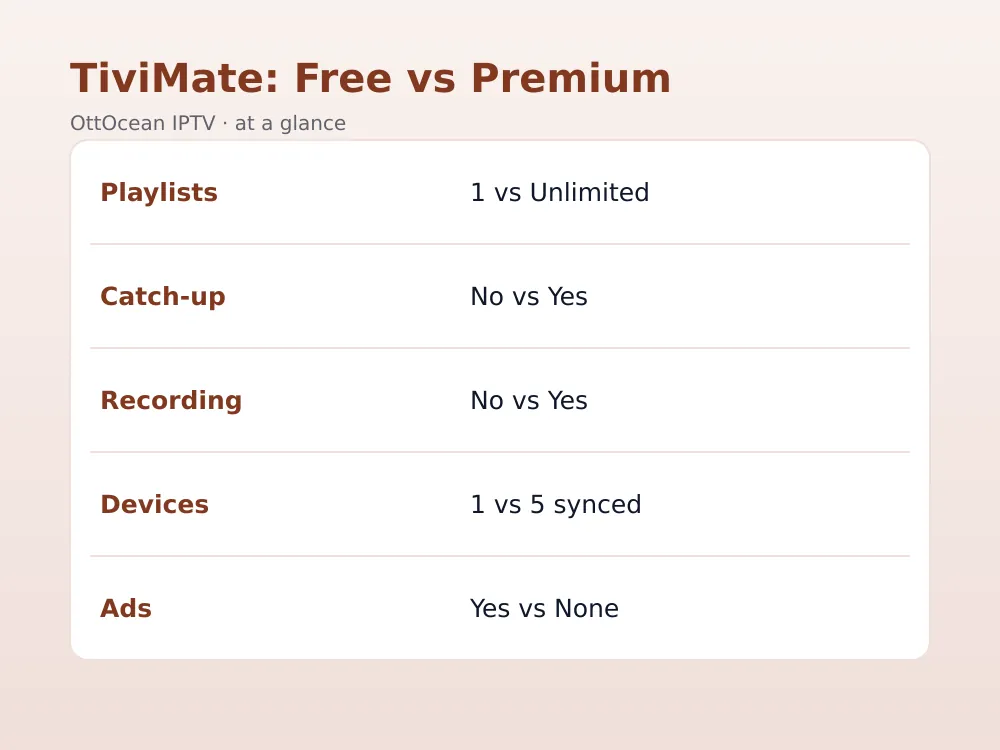
- One Premium license synced across up to 5 devices, with no ads anywhere
Side by side, the pattern is consistent: free gives you a taste of TiviMate’s interface, and Premium gives you the feature set people actually mean when they recommend the app. That gap is the entire tivimate free vs premium debate in a nutshell.
TiviMate Free vs Premium: The 8 Differences That Matter
Feature lists only tell half the story, so here’s the side-by-side breakdown we use whenever someone asks us about tivimate free vs premium. Eight differences decide almost every real complaint we hear about the free tier.
| Feature | TiviMate Free | TiviMate Premium |
|---|---|---|
| Playlists | 1 only | Unlimited, switchable |
| EPG window | Roughly 24-48 hours | Full 7-14 day guide |
| Catch-up / timeshift | Not available | Yes, on supported channels |
| Recording | Not available | Yes, on capable devices |
| Favorites | Limited | Unlimited, custom groups |
| Reminders | Not available | Auto-launch on show start |
| Devices per license | Per install only | Up to 5 synced |
| Ads | Occasional | None |
The tivimate premium features that get used most in our testing are catch-up and the extended EPG — both fix the two biggest daily annoyances with the free app. Recording matters most to sports fans who can’t always watch live, while multi-playlist support is really a power-user feature for anyone juggling more than one IPTV subscription at once.
TiviMate Premium Price in 2026
Tivimate premium price has stayed fairly stable for the last few years: as of 2026, the one-time lifetime purchase typically runs close to $19.99, while the yearly subscription option sits nearer $5.99. Pricing can vary slightly by platform — Google Play, Amazon Appstore, and the developer’s own site sometimes list different figures — so treat these as ballpark numbers and check the in-app price before buying anything.
The lifetime option is the better tivimate premium price for most people, since it pays for itself after roughly three to four years compared with the subscription, and it removes the risk of losing features if you forget to renew mid-season.
TiviMate Free vs Premium: Fire TV, Android TV, and iOS Differences
The tivimate free vs premium comparison shifts slightly depending on the device you’re running it on. On Fire TV, the app is sideloaded through Downloader rather than pulled from an app store, and because Fire TV doesn’t support Google Play billing, buying Premium always goes through the QR-code-and-browser flow rather than a simple in-app button.
On Android TV and Google TV boxes, TiviMate is often available directly through the Play Store, and Premium purchases can go through standard Play billing — tap Buy Premium and confirm with your Google account, no QR code required. NVIDIA Shield TVs run on Android TV, so they follow the same in-app purchase flow, which is one reason the Shield is a popular pick for anyone planning to use Premium’s recording feature.
TiviMate doesn’t currently ship an official iOS or Apple TV app, so if you’re watching on an iPhone, iPad, or Apple TV you’ll need a different player entirely — a separate app built for Apple hardware, not a workaround inside TiviMate itself. This is worth confirming before you buy TiviMate Premium, since the license only covers Android-based devices.
Is TiviMate Premium Worth It?
Is tivimate premium worth it? For anyone using IPTV as a full cable replacement, yes — catch-up alone earns its price the first time you miss the opening minutes of a live match and can rewind to kickoff. If you only watch two or three channels casually and never touch VOD or sports, the free tier with its single playlist might genuinely be enough, and there’s no shame in staying there.
Where Premium earns its keep fastest is multi-device households. A single Premium license following you across up to 5 devices means you buy once and set up TiviMate the same way on the living room Fire TV, a bedroom Android TV box, and an NVIDIA Shield without paying three separate times. That alone answers is tivimate premium worth it for most families we’ve spoken with.
If tivimate premium price still feels steep for what you’d use, it helps to compare against the field. IPTV Smarters Pro is free with a simpler feature set and no paid tier to weigh, while XCIPTV sits closer to TiviMate with its own optional upgrade. Neither matches TiviMate Premium’s EPG depth, but if catch-up and multi-playlist aren’t priorities, a fully free app can genuinely cover what you need.
How to Buy TiviMate Premium on Fire TV
Buying Premium on a Fire TV works a little differently than on Android TV, because Fire TV doesn’t run Google Play billing. TiviMate handles this with a purchase flow tied to your TiviMate account rather than the app store, and it typically comes down to a short, account-based process rather than an in-app store button.
This QR-based purchase flow isn’t unique to TiviMate — several Android TV apps rely on similar workarounds since Amazon’s Appstore doesn’t support the same in-app billing Google Play does, and it keeps tivimate premium price consistent no matter which store you started from.
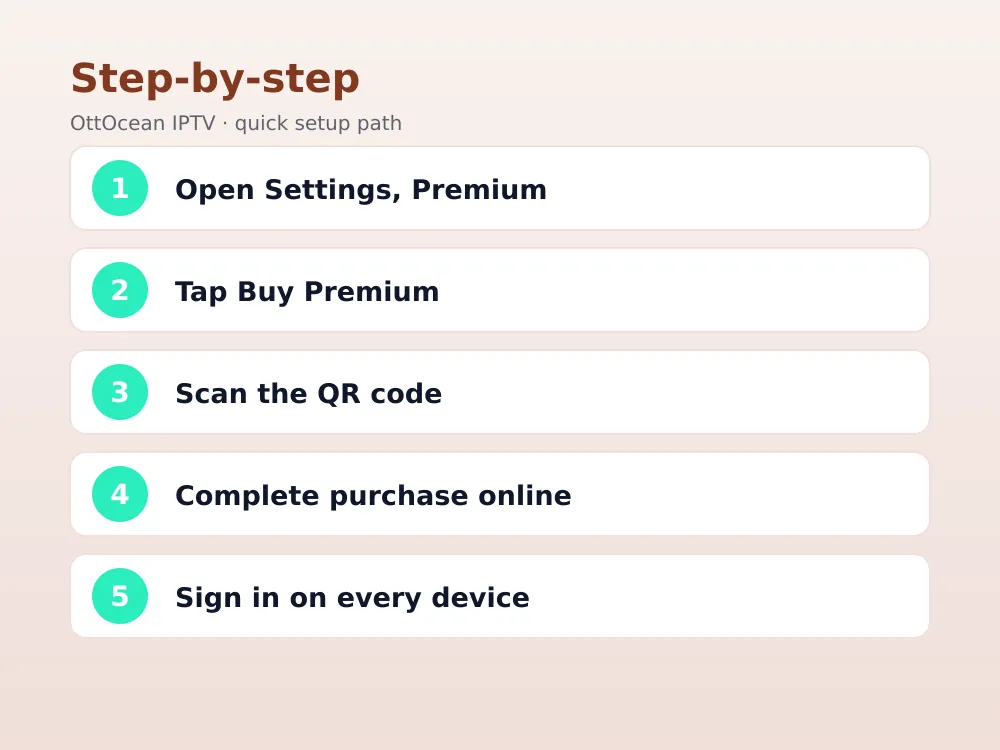
- Open TiviMate, go to Settings, and select Premium to see the current price and options
- Choose “Buy Premium,” which shows a QR code and a short web address on screen
- Scan the code with your phone, or type the address into any browser, and complete the purchase there
- Sign in with that same TiviMate account on every device you want Premium active on
- Confirm Premium is active by checking for the “no ads” badge and the multi-playlist option in Settings
Because the purchase is tied to your account and not the device, you don’t need to repeat this on every box — sign in with the same TiviMate account on your other devices and Premium activates automatically, up to the 5-device limit. Keep your login details somewhere safe in case you reset a Fire TV or switch to a new one.
A quick honesty note: TiviMate is just a player, not a channel source. Neither free nor Premium comes with any content included — what you watch depends entirely on the IPTV subscription or free-to-air sources you load into it, and you’re responsible for using a legitimate provider.
Setting Up TiviMate Premium with an OttOcean IPTV Subscription
TiviMate is a player, not a channel source, so Premium’s multi-playlist and catch-up features are only as good as the IPTV subscription feeding it. An OttOcean IPTV plan gives you both an Xtream Codes login and an M3U URL, either of which drops straight into TiviMate’s playlist setup, and most of OttOcean’s 25,000+ live channels carry catch-up data that TiviMate’s Premium timeshift can actually use.
If recording is the feature you’re after, pair TiviMate Premium with an NVIDIA Shield rather than a base Fire TV Stick — the Shield has the storage and processing headroom Premium’s recording needs, and our NVIDIA Shield IPTV apps guide covers the full setup. For the subscription side, compare device counts and plan lengths on the OttOcean plans page before you commit to a term.
Xtream Codes tends to be the smoother option for tivimate premium features like catch-up, since it passes structured EPG and catch-up metadata directly to the app, while a plain M3U URL sometimes needs a separate EPG XML link added manually in playlist settings. Either format works, but if catch-up seems to be missing after you’ve upgraded, checking which playlist format you’re using is a good first troubleshooting step.
Common TiviMate Premium Issues and Fixes
Most Premium complaints trace back to setup, not the purchase itself. These are the ones we see most often, along with the fix for each.
- Premium not showing on a second device: sign in with the exact same TiviMate account, not just the same email spelled a little differently.
- Catch-up missing on a channel: your provider has to send catch-up data for that specific channel — TiviMate can’t invent it on its own.
- Recording button greyed out: the device needs local storage or a mapped network drive; some entry-level Fire TV Sticks lack the space for it.
- EPG still short after upgrading: your provider’s EPG source, not TiviMate, controls how many days of guide data are listed.
- Purchase not going through on Fire TV: some phone browsers block the purchase page’s redirect — try a different browser if the QR code page won’t finish loading.
- Multi-screen grid missing: the multi-screen layout is a Premium-only option tucked under the live TV settings menu, not the main Settings screen, so it’s easy to miss on a first look.
If none of that fixes it, it’s worth comparing TiviMate against the field in our best IPTV player apps guide — occasionally the better fix is a different app entirely, especially on older or storage-limited hardware.
Key takeaways
- Tivimate free vs premium comes down to one playlist and a basic EPG versus multi-playlist, catch-up, recording, and reminders.
- Tivimate premium price in 2026 typically runs near $19.99 lifetime or about $5.99 a year, depending on platform.
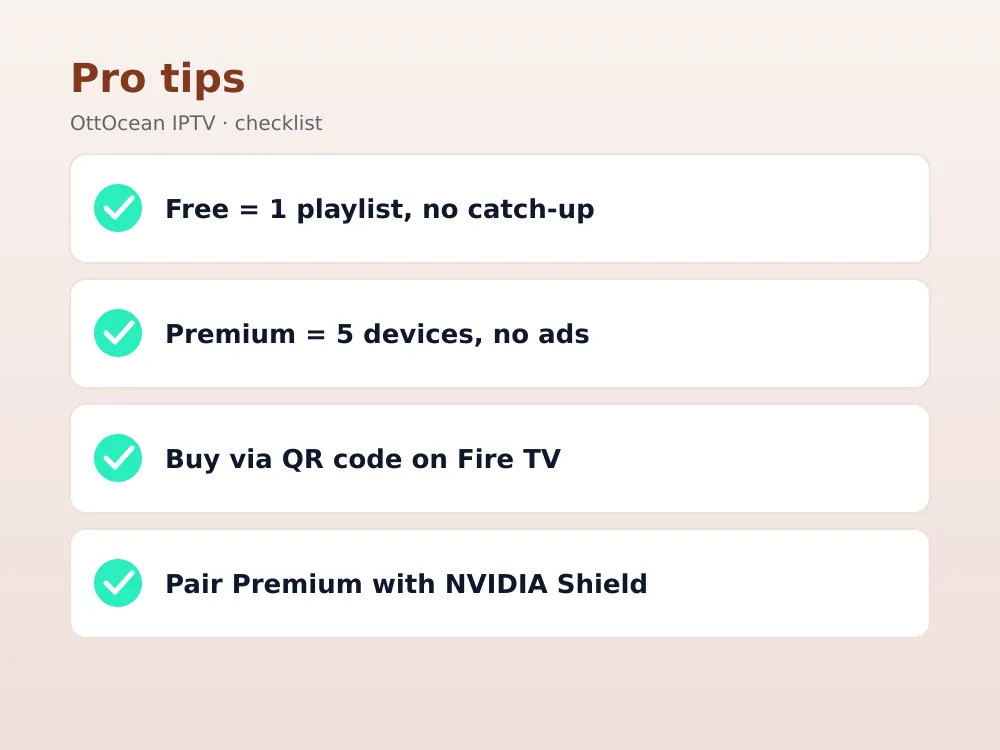
- One Premium license covers up to 5 devices, so multi-device households save by buying once.
- Recording works best on hardware with real storage, like an NVIDIA Shield, not a base Fire TV Stick.
- Catch-up and timeshift depend on your IPTV provider sending that data — Premium alone doesn’t create it.
- Buy Premium through the TiviMate account portal (a QR code on Fire TV), then sign in on every other device.
- The most-used tivimate premium features are catch-up, the extended EPG, and multi-device syncing, not any single flashy extra.
FAQ: TiviMate Free vs Premium
Does TiviMate Premium cost a subscription or a one-time payment?
Both options usually exist. Tivimate premium price includes a one-time lifetime purchase, historically close to $19.99, and a cheaper annual plan around $5.99 as of 2026. Exact figures shift occasionally and vary slightly by app store, so always check the price shown inside Settings, then Premium on your device before paying, rather than relying on older screenshots or third-party listings.
What’s the single biggest difference between TiviMate free and premium?
Catch-up and timeshift are the difference most users notice first — tivimate free vs premium really hinges on whether you can rewind a channel that’s currently live. The free tier can’t do it at all, while Premium enables it on any channel your IPTV provider sends catch-up data for, which covers most sports and news channels on a decent service.
Can I use TiviMate Premium on more than one device?
Yes. One Premium purchase covers up to 5 devices as of 2026, as long as you sign into the same TiviMate account on each one. That includes mixing device types — a Fire TV Stick in the bedroom, an NVIDIA Shield in the living room, and an Android phone all count toward the same five-device limit.
Does TiviMate Premium include a recording feature?
Recording is one of the headline tivimate premium features, but it needs the right hardware underneath it. Devices with usable local storage or a connected network drive, such as an NVIDIA Shield, can record live channels for later; a base-model Fire TV Stick with limited internal storage often can’t hold much, so recording is more reliable on higher-end boxes.
Is TiviMate premium worth it if I only watch a few channels?
Probably not. Is tivimate premium worth it depends heavily on how you actually watch — casual viewers who stick to two or three live channels and skip VOD rarely hit the free tier’s limits. Premium earns its price back for households running multiple devices, watching sports that need catch-up, or wanting a real EPG instead of a two-day window.
Do I need TiviMate Premium to use an OttOcean IPTV subscription?
No. Any OttOcean IPTV plan works fine on the free version of TiviMate — you’ll just get one playlist, a shorter EPG, and no catch-up or recording. Premium simply lets TiviMate do more with the same subscription, particularly the catch-up and multi-device syncing that pair naturally with OttOcean’s channel list and 5-day free trial.
Final Verdict: Should You Upgrade to TiviMate Premium?
After weeks of running both tiers side by side, our take on tivimate free vs premium is simple: the free app is a genuinely usable way to try IPTV, but Premium is where TiviMate becomes a real DVR-style experience. If you’ve been weighing tivimate premium price against what you’d actually use, the deciding factor is almost always catch-up and multi-device support, not any single flashy feature.
The easiest way to test the difference is to pair TiviMate with a real channel list first. Start with OttOcean’s 5-day free trial, no credit card required, load it into TiviMate free or Premium, and see which tier you actually need. When you’re ready to subscribe long-term, compare device counts and lengths on the OttOcean IPTV plans page.