Last updated: October 23, 2026
When you weigh tivimate vs iptv smarters for watching an IPTV subscription in 2026, you are really choosing between two different philosophies. TiviMate is a premium, live-TV-first player built almost entirely for Android TV and Fire TV boxes. IPTV Smarters Pro is a free, cross-platform app that runs on nearly every device you own, from an iPhone to a Windows laptop.
On this page
- TiviMate vs IPTV Smarters: Platform and Device Support
- Free vs Premium: Pricing Compared
- Inside a TiviMate Premium Subscription
- EPG, Guide Layout, and Channel Groups
- Multi-Playlist, Multi-Screen, and Xtream Codes/M3U Support
- Recording, Catch-Up, and Favorites
- IPTV Smarters Pro App: VOD, Parental Controls, and Extras
- Stability, Updates, and Remote-Friendliness
- TiviMate vs IPTV Smarters: Who Should Pick Which in 2026
- Key takeaways
- FAQ: tivimate vs iptv smarters
- Final Verdict
What we checked: we installed both apps on a Fire TV Stick 4K Max and a mid-range Android TV set, loaded the same OttOcean IPTV Xtream Codes login into each, and compared EPG load time, channel-switch speed, and how many taps it took to reach recording and multi-playlist settings.
TiviMate vs IPTV Smarters: Platform and Device Support
TiviMate is built for Android-based streaming boxes: Fire TV Stick, Fire TV Cube, Android TV, Google TV, NVIDIA Shield, and Formuler boxes. There is no official iOS or Apple TV version, and no dedicated Windows or Mac build, so iPhone and Mac owners are locked out unless they sideload workarounds we do not recommend.
IPTV Smarters Pro takes the opposite approach. It ships for Android, Android TV, Fire TV, iOS, iPad, Windows, Mac, and even offers a web player, so a household mixing iPhones, a Fire Stick, and a laptop can standardize on one app instead of juggling several players and logins. The iptv smarters pro app remains the easier of the two to install on a brand-new device.
Both are regularly recommended as the best iptv player for firestick, though for different reasons: TiviMate for its guide, IPTV Smarters Pro for its simplicity. Which label fits your household depends entirely on what else you own besides a Fire TV Stick.
IPTV itself, delivering live TV over the internet instead of satellite or cable, as Wikipedia’s IPTV overview explains, does not care which player you use. The real decision is between these two apps and the devices sitting in your living room.
- TiviMate: Android TV, Google TV, Fire TV/Fire Stick, NVIDIA Shield, Formuler boxes, and Android phones as a secondary option
- IPTV Smarters Pro: Android, iOS/iPadOS, Windows, macOS, Fire TV, Android TV, select Smart TV apps, and a web browser player
- Neither app has a native Apple TV build as of 2026, so Apple TV owners typically pick a different player entirely
Both apps accept the same login formats OttOcean IPTV hands out at signup: an Xtream Codes API username and password, or a plain M3U playlist URL. That means switching between TiviMate and IPTV Smarters later never requires re-subscribing to a new plan.
Free vs Premium: Pricing Compared
Pricing is often the deciding factor in the tivimate vs iptv smarters debate, since one app eventually charges you and the other never does. TiviMate’s free tier limits you to one playlist and a stripped-down EPG, which is fine for testing but not for daily use.
TiviMate Premium is a paid upgrade tier, sold as a subscription or a discounted lifetime license, and it removes the playlist cap while adding catch-up TV, recording, favorites, and parental controls. This upgrade costs less over a year than most new users expect, especially against the one-time lifetime license option.
IPTV Smarters Pro is free to download and stays free. The company behind it monetizes through licensing to IPTV resellers rather than charging viewers directly, so you never hit a paywall inside the app itself; you just need working credentials from a provider like OttOcean IPTV.
One honest note: neither app includes any channels of its own. You are responsible for the legality of whatever subscription you load into either player, and OttOcean IPTV is sold and used as a subscription streaming service, not a way around paying for content.
| App | Free tier | Paid tier | iOS support |
|---|---|---|---|
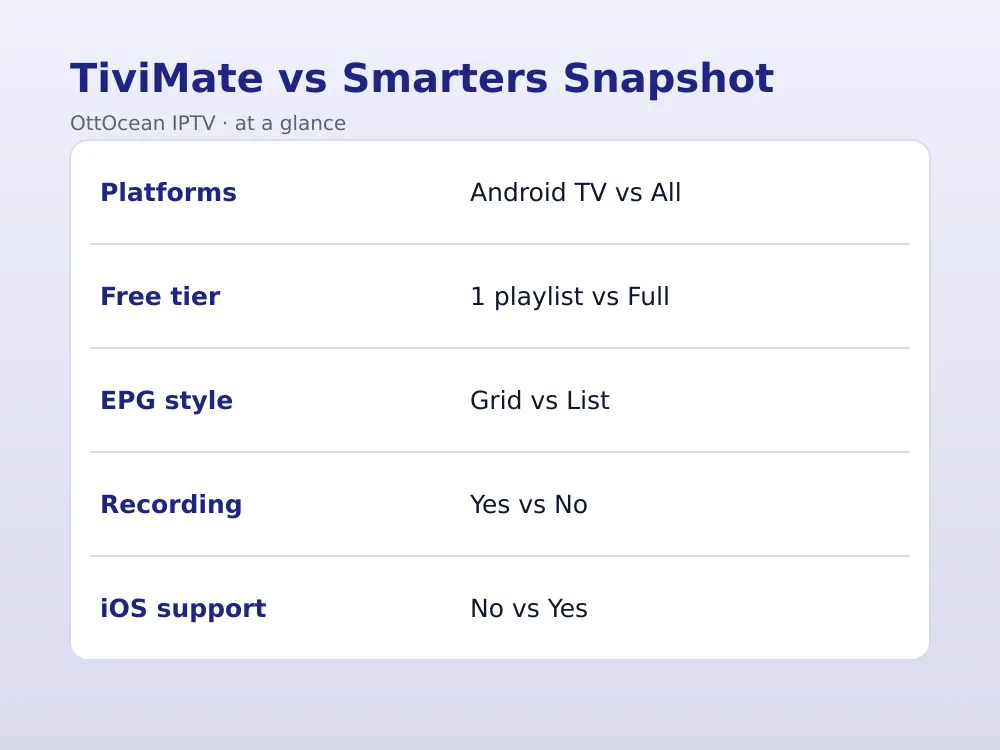
| TiviMate | 1 playlist, basic EPG | Premium adds multi-playlist, recording | No |
| IPTV Smarters Pro | Full app, unlimited playlists | None needed, always free | Yes |
| OttOcean IPTV subscription | 5-day free trial | From $9.99 per month | Works in both apps |
Inside a TiviMate Premium Subscription
This premium tier is sold two ways: a recurring annual plan, or a one-time lifetime license that a lot of long-term Android TV users prefer since it never expires and covers future app updates. Either version enables the same feature set, so the choice mostly comes down to whether you would rather pay once or spread the cost. The price gap between the two apps really comes down to this single tier.
What actually changes once you activate a tivimate premium subscription: the one-playlist cap disappears, favorites gain custom groups, parental controls arrive with a PIN, and the EPG preview window expands to show more channels and hours at a glance. Recording and the catch-up timeline are also gated behind this tier on supported hardware.
If you only watch one OttOcean IPTV playlist and never plan to record, the free version of TiviMate can be enough. Anyone managing more than one subscription, or wanting DVR-style playback, gets real value from a tivimate premium subscription within the first few weeks of use.
EPG, Guide Layout, and Channel Groups
TiviMate’s grid-style EPG is widely considered the best-looking channel guide in the Android TV IPTV world. It shows several channels and hours of programming at once, supports custom channel groups and logos, and lets you jump straight to a show that is already airing. That grid view is a big part of why TiviMate keeps getting singled out as a top pick for Fire TV Stick by hands-on reviewers.
IPTV Smarters Pro’s guide works, but it is a simpler list-style layout by default, with a smaller preview window. You still get show titles, start and end times, and short descriptions when your provider supplies EPG data, though power users comparing tivimate vs iptv smarters guides usually call TiviMate’s the more polished of the two.
Multi-Playlist, Multi-Screen, and Xtream Codes/M3U Support
Multi-playlist support is one of the more technical points in the tivimate vs iptv smarters comparison, but it matters if you juggle more than one provider. It means loading more than one IPTV subscription, or a live feed plus a separate VOD-only playlist, into a single app with one unified channel list. TiviMate Premium handles this natively and merges channels from every playlist into one searchable guide.
This app supports multiple playlists too, without needing a paid upgrade, which is one reason resellers and viewers with more than one provider often prefer it. Both apps accept Xtream Codes API logins and raw M3U URLs; read our breakdown of Xtream Codes vs M3U if you are unsure which format your provider gave you.
An M3U playlist is a plain-text channel list format long used by media players like Kodi, and both TiviMate and IPTV Smarters Pro parse it the same way once it is loaded.
Multi-screen, watching a grid of several live channels at once, is native to IPTV Smarters Pro and reachable from the main menu. TiviMate offers a similar picture-in-picture mode on capable hardware, but it is less prominent and depends on the box you are using.
- Xtream Codes API login: server URL, username, password; recommended, and pulls EPG and VOD categories automatically
- M3U playlist URL: a single link containing all channels, simpler but usually needs a separate EPG XML link
- Both TiviMate and IPTV Smarters Pro accept either format from OttOcean IPTV without any conversion needed
Recording, Catch-Up, and Favorites
Catch-up TV, rewinding to a show that already aired, works in both apps when your provider’s channel supports it, and OttOcean IPTV enables catch-up on most of its 25,000+ live channels. TiviMate Premium adds a proper catch-up timeline plus local or network recording on capable Android TV and Fire TV hardware.
IPTV Smarters Pro does not offer built-in recording; it focuses on live playback, provider-side catch-up, and VOD. If scheduling recordings of live sports or news matters to you, that alone can decide the tivimate vs iptv smarters question in TiviMate’s favor.
Favorites work similarly in both apps; you star a channel and it moves to a shortlist. TiviMate lets you build multiple custom favorite groups for sports, kids, or news, while IPTV Smarters Pro keeps things to one flat favorites list.
IPTV Smarters Pro App: VOD, Parental Controls, and Extras
Beyond live TV, the iptv smarters pro app organizes movies and series into a Netflix-style VOD library, complete with cover art, descriptions, and season and episode browsing when your provider supplies that metadata. OttOcean IPTV’s 150,000+ movies and series titles display cleanly inside this layout without any extra setup.
Parental controls in the iptv smarters pro app use a simple PIN lock on adult categories, which is quicker to configure than TiviMate’s equivalent menu, though both accomplish the same goal. Multi-user profiles are not available in either app, so households sharing one login still share one watch history and one favorites list.
Other extras baked into this app include an EPG-based reminder system, external player support for advanced codecs, and a built-in connection speed test. Feature for feature, it closes much of the gap between the two once you look past live-TV recording and the grid guide.
Stability, Updates, and Remote-Friendliness
TiviMate is updated frequently, has an active community on Reddit and Telegram, and rarely crashes on modern Fire TV or Android TV hardware. Its interface was designed from the start for a D-pad remote, so everything from channel switching to EPG scrolling feels built for a couch, not a touchscreen.
IPTV Smarters Pro is stable too, though some Android TV and Fire TV users report the on-screen keyboard and menus feel slightly touchscreen-first, since the same codebase serves phones and tablets. It still works fine with a remote, just with a few more clicks to reach certain settings.
Neither app hosts channels itself; stability mostly comes down to your provider’s servers. OttOcean IPTV runs anti-freeze, load-balanced servers with a 99.9% uptime target, so buffering complaints usually trace back to home Wi-Fi or an ISP rather than the player you picked. Stability differences are subtle, but they still factor into any serious tivimate vs iptv smarters breakdown.
On a Fire TV Stick 4K Max specifically, TiviMate is usually the top recommendation among enthusiast forums, mostly because of remote-first design choices IPTV Smarters Pro has not fully adopted yet.
TiviMate vs IPTV Smarters: Who Should Pick Which in 2026
This tivimate vs iptv smarters decision ultimately comes down to your device list and whether recording matters to you. Pick TiviMate if you stream mainly on a Fire TV Stick, Fire TV Cube, or Android TV/Google TV box, want the sharpest-looking EPG, plan to record live channels, and do not mind paying once for Premium.
Pick IPTV Smarters Pro if your household mixes iPhones, iPads, a Mac, and a Smart TV, you want one free app everywhere, or you are new to IPTV and prefer a simpler setup screen. If your only device is a Firestick and you want the best iptv player for firestick full stop, TiviMate Premium is the safer long-term pick.
For the exact install steps, see our TiviMate IPTV player guide or the IPTV Smarters Firestick installation guide, both written for OttOcean IPTV subscribers.
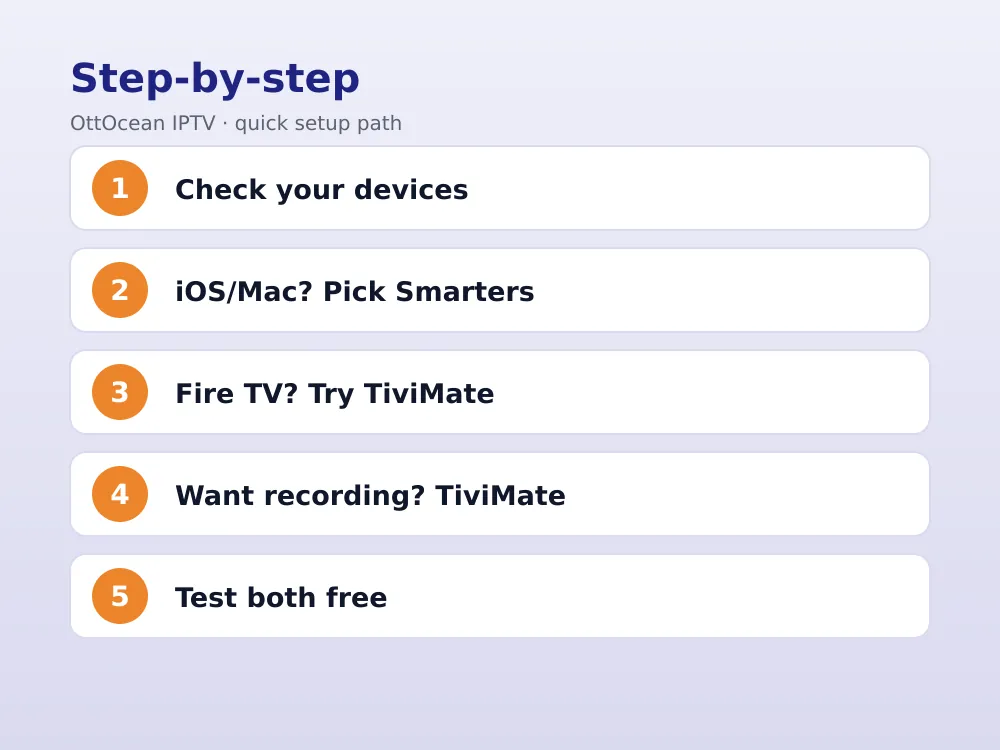
- List every device you will actually watch on, including phones, TVs, and computers
- If any device is an iPhone, iPad, or Mac, IPTV Smarters Pro wins by default
- If every device is Android TV or Fire TV and you want recording, choose TiviMate Premium
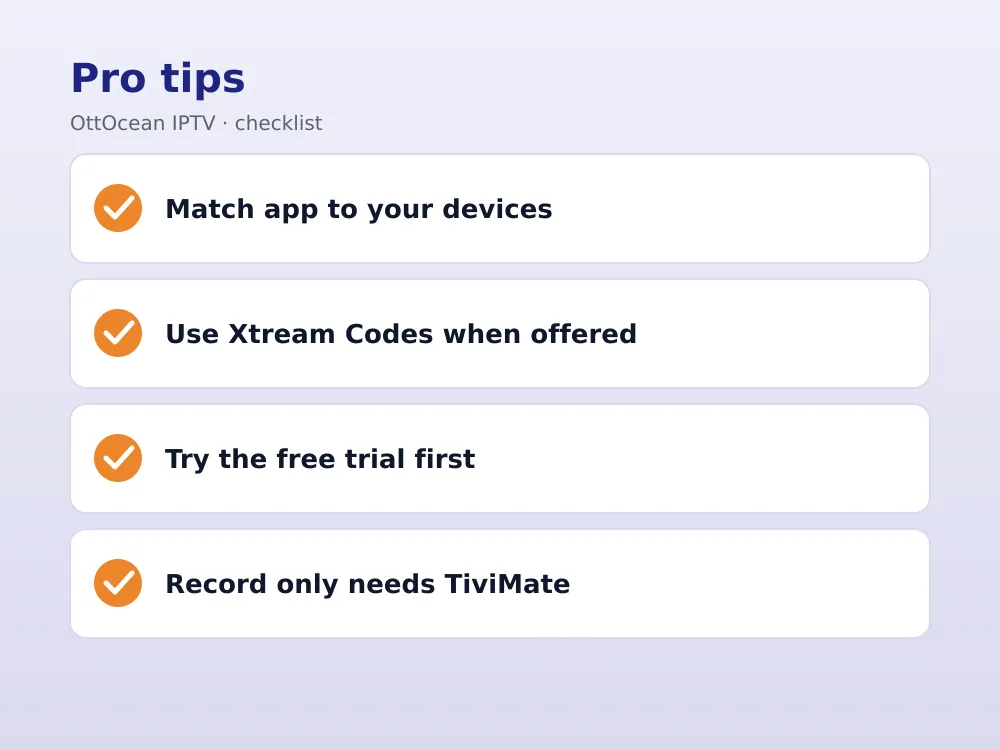
- If you are unsure, install both; OttOcean IPTV credentials work in either app
Key takeaways
- TiviMate is Android TV/Fire TV only; IPTV Smarters Pro also runs on iOS, Windows, and Mac
- The iptv smarters pro app stays free with unlimited playlists, while TiviMate caps free users at one
- A tivimate premium subscription adds recording, a catch-up timeline, multiple favorite groups, and parental controls
- IPTV Smarters Pro’s multi-screen grid view is available for free and easy to reach
- Both apps accept Xtream Codes and M3U logins from OttOcean IPTV with no conversion needed
- Choose TiviMate for the sharpest EPG and recording; choose IPTV Smarters Pro for cross-platform simplicity
- Overall, the tivimate vs iptv smarters choice favors TiviMate for power users and IPTV Smarters Pro for simplicity
FAQ: tivimate vs iptv smarters
Is TiviMate better than IPTV Smarters Pro?
Neither app wins outright in the tivimate vs iptv smarters debate; it depends on your devices. TiviMate usually wins on Android TV and Fire TV boxes, and is often called the best iptv player for firestick, thanks to its sharper EPG grid and recording options, while IPTV Smarters Pro wins for households with iPhones, iPads, Macs, or Windows PCs, since TiviMate is not available on those platforms as of 2026.
Does TiviMate work on iPhone or iPad?
No. TiviMate has never released an official iOS or iPadOS app, and there is no reliable workaround worth using. If you need IPTV on an iPhone or iPad, IPTV Smarters Pro or another cross-platform player is the practical choice, and it accepts the same OttOcean IPTV Xtream Codes or M3U login you would use in TiviMate.
Is IPTV Smarters Pro really free?
Yes, the app itself is free to download and has no in-app purchases for viewers. You still need an active IPTV subscription with working credentials, like an OttOcean IPTV plan, because the app is only a player, not a channel source, and it cannot stream anything on its own.
Can I use both TiviMate and IPTV Smarters Pro with the same subscription?
Yes. Your Xtream Codes login or M3U URL is not tied to one app, so you can load the same OttOcean IPTV credentials into TiviMate on your Fire TV Stick and IPTV Smarters Pro on your phone at the same time, subject to your plan’s device limit.
Which app has a better EPG?
TiviMate’s grid EPG is generally rated higher: it shows more channels and hours at a glance, supports custom groups, and scrolls smoothly with a remote. IPTV Smarters Pro’s guide is functional but simpler, with a smaller preview pane, though both display the same programming data your provider sends.
Does TiviMate or IPTV Smarters Pro support recording?
TiviMate Premium supports recording live channels to local or network storage on capable Android TV and Fire TV hardware, plus a catch-up timeline. IPTV Smarters Pro does not include built-in recording; it sticks to live playback, provider-side catch-up, and VOD, so recording alone often settles the tivimate vs iptv smarters decision.
Final Verdict
If you are still undecided after this tivimate vs iptv smarters comparison, the safest move is to test both apps yourself before committing to Premium. Start with OttOcean IPTV’s 5-day free trial, no credit card required, load the same Xtream Codes login into TiviMate and IPTV Smarters Pro, and see which interface you reach for after a week.
When the trial ends, pick a plan that matches how many screens you actually use; see the full breakdown on our IPTV subscription plans page. Either app, paired with a reliable provider, beats juggling a dozen sketchy free streams, and you can always install the other player later without paying twice.
If you decide TiviMate is right for you, budget for a tivimate premium subscription once your free trial ends. Whether you end up preferring TiviMate’s grid EPG or IPTV Smarters Pro’s simplicity, both remain strong contenders for the best iptv player for firestick title in 2026, and both work equally well with an OttOcean IPTV login.